Introduction
A single overlooked detail can sink your landing page before it converts a single visitor—and you won't discover the issue until after launch when traffic is live and money is spent.
The stakes are high: broken forms lose leads, slow pages drive bounces, missing trust signals kill conversions, and SEO errors waste organic traffic potential. Companies spend thousands on ads driving traffic to pages with preventable problems that destroy ROI. For a deeper look at why these elements matter so much, our guide on why you need landing page optimization breaks down the conversion impact of each failure mode.
The cost of launching too quickly compounds: Every hour a broken landing page is live means lost conversions, wasted ad spend, and damaged brand credibility. A form that doesn't submit? Those leads are gone forever. A page that loads in 8 seconds on mobile? 53% of visitors already left.
This comprehensive checklist ensures your landing page works perfectly before the first visitor arrives—preventing the expensive mistakes that turn promising campaigns into costly failures.
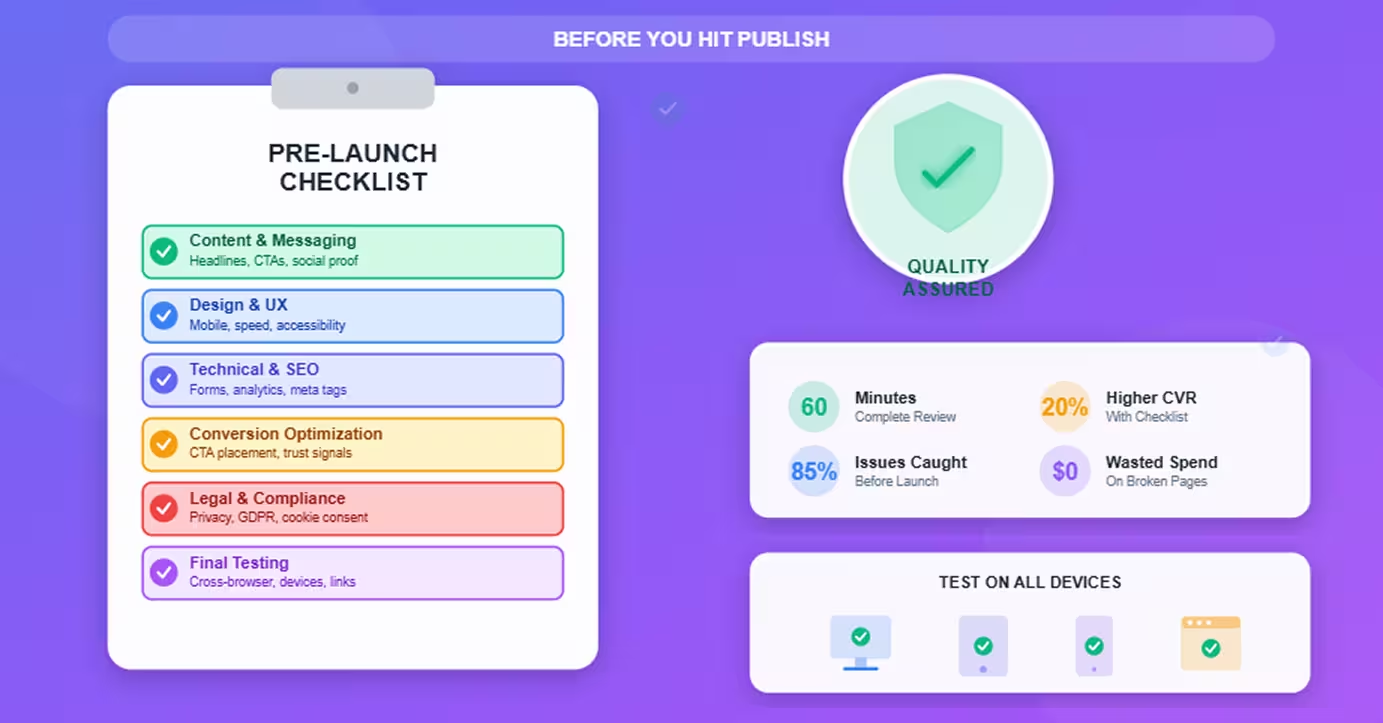
Time investment: 60-90 minutes to complete this checklist thoroughly. Impact: 20-50% higher conversion rates from catching issues before launch rather than after hemorrhaging conversions.
Let's walk through every critical checkpoint before you hit publish.
Content & Messaging Verification
Your message determines whether visitors convert or bounce—verify it's perfect.
Headline Clarity and Value Proposition
The headline is the first thing 80% of visitors read—and the last for many.
Checklist:
- ✅ Headline clearly states value proposition (what you offer, who it's for)
- ✅ Benefit-focused, not feature-focused ("Save 10 hours/week" not "Automation tools included")
- ✅ Under 10 words (scannability and impact)
- ✅ No jargon or ambiguity (grandma test: would someone unfamiliar with your industry understand?)
- ✅ Subheadline supports and expands (provides additional context or benefit)
Test: Read headline to someone unfamiliar with your product. Can they explain what you offer in 5 seconds?
Body Copy Review
Every word should drive toward conversion or get cut.
Checklist:
- ✅ Focused on benefits, not features (translate features into customer outcomes)
- ✅ Addresses objections preemptively (cost, time, complexity, trust concerns)
- ✅ Scannable structure (short paragraphs, bullet points, subheadings)
- ✅ Active voice throughout (not "leads are generated" but "generate more leads")
- ✅ No filler or fluff (every sentence earns its place)
- ✅ Urgency or scarcity element (limited time, limited spots, bonus expiring)
Read aloud test: Does copy sound natural and compelling when spoken?
CTA Effectiveness
Your call-to-action makes or breaks conversion—optimize ruthlessly.
Checklist:
- ✅ Action-oriented verb ("Start Free Trial," "Get My Guide," "Schedule Demo")
- ✅ Benefit-focused, not generic ("Start Saving Time" not just "Submit")
- ✅ Contrasting color (stands out from page design)
- ✅ Large enough to be obvious (minimum 44×44 pixels for touch targets)
- ✅ Above the fold (visible without scrolling)
- ✅ Repeated if long page (CTA every 2-3 scroll depths)
- ✅ No distracting alternatives (one primary action, maybe one subtle secondary)
Test: Remove all other elements visually—does CTA still stand out?
Social Proof and Trust Elements
Visitors need evidence before converting—provide it strategically.
Checklist:
- ✅ Testimonials include specifics (numbers, results, names, photos when possible)
- ✅ Trust badges visible (payment security, certifications, awards)
- ✅ Social proof updated (current customer count, recent reviews)
- ✅ Case study or result stats (quantifiable outcomes)
- ✅ Brand logos (clients or media mentions) if applicable
- ✅ Real people in imagery (stock photos damage trust if obvious)
Verification: Are testimonials real (and permission granted)? Are stats current and accurate?
Grammar and Spelling
Typos destroy credibility faster than almost anything.
Checklist:
- ✅ Spell check run (obvious but often skipped)
- ✅ Grammarly or similar tool (catches style issues too)
- ✅ Fresh eyes review (someone else reads it)
- ✅ Read backwards (forces attention to spelling vs. meaning)
- ✅ Common errors checked (its/it's, your/you're, their/there/they're)
Pro tip: Read content aloud slowly—errors jump out that eyes skip when scanning.
Design & User Experience
Beautiful design that doesn't convert wastes everyone's time—prioritize usability.
Visual Hierarchy
Visitors should know where to look and what to do without thinking.
Checklist:
- ✅ Most important elements largest/boldest (headline, CTA, key benefits)
- ✅ Logical flow top to bottom (attention, interest, desire, action)
- ✅ White space used strategically (prevents overwhelming visitors)
- ✅ Contrast guides attention (dark text on light background or vice versa)
- ✅ Eye path leads to CTA (design guides visitors toward conversion action)
Squint test: Squint at page—do key elements still stand out?
Mobile Responsiveness
Over 60% of traffic is mobile—broken mobile experience kills conversions.
Checklist:
- ✅ Mobile preview checked (use browser dev tools or actual devices)
- ✅ Text readable without zooming (minimum 16px font size)
- ✅ Buttons finger-friendly (44×44 pixels minimum touch target)
- ✅ Forms work on mobile (appropriate keyboards trigger, autocomplete works)
- ✅ Images resize properly (no horizontal scroll required)
- ✅ Navigation functional (hamburger menus work, links clickable)
- ✅ Load time under 3 seconds on mobile (4G connection)
Test on real devices: iPhone, Android, tablet—not just desktop resize.
Load Speed Optimization
Every second of load time costs 7% of conversions.
Checklist:
- ✅ PageSpeed Insights score 85+ (Google's tool for performance)—our complete Webflow performance optimization guide covers every technique to hit this target
- ✅ Images compressed (TinyPNG, ImageOptim before upload)
- ✅ Lazy loading enabled (images load as user scrolls)
- ✅ Minimal external scripts (limit tracking, widgets, fonts)
- ✅ Above-fold content loads first (critical CSS inlined)
- ✅ CDN used if applicable (content delivery network for global speed)
Test: Use Google PageSpeed Insights and GTmetrix—fix issues flagged.
Imagery and Media
Visuals should enhance message, not distract or slow page.
Checklist:
- ✅ Images high quality (crisp, professional, on-brand)
- ✅ Images relevant (support message rather than generic stock photos)
- ✅ Alt text descriptive (for accessibility and SEO)
- ✅ Videos autoplay muted (if autoplay used at all—often annoying)
- ✅ Video has play controls (user decides whether to engage)
- ✅ GIFs or animations purposeful (not distracting from conversion goal)
Accessibility check: Can someone understand page without seeing images?
Accessibility Basics
Accessible design is good design—and legally required in many jurisdictions.
Checklist:
- ✅ Color contrast sufficient (4.5:1 ratio for text)
- ✅ Keyboard navigation works (tab through all interactive elements)
- ✅ Form labels clear (every input field has descriptive label)
- ✅ Alt text on images (describes image content)
- ✅ Headings hierarchical (H1 > H2 > H3 structure logical)
Tool: Use WAVE browser extension to check accessibility issues.
Technical & SEO Elements
Technical problems waste organic traffic and break user experience.
Meta Tags and Open Graph
How your page appears in search results and social shares matters.
Checklist:
- ✅ Meta title set (50-60 characters, includes target keyword)
- ✅ Meta description compelling (150-160 characters, benefit-focused)
- ✅ Open Graph title (how headline appears when shared on social)
- ✅ Open Graph description (social sharing description)
- ✅ Open Graph image (1200×630 pixels, compelling visual)
- ✅ Favicon uploaded (browser tab icon)
Test: Share page URL in Slack or social media preview—does it look good?
Page Speed Testing
Speed impacts both conversions and SEO rankings.
Checklist:
- ✅ Google PageSpeed Insights run (both mobile and desktop)
- ✅ Core Web Vitals passing (LCP <2.5s, FID <100ms, CLS <0.1)—if any of these are failing, our guide on what to do when your Core Web Vitals assessment fails walks through every fix
- ✅ GTmetrix tested (provides specific improvement recommendations)
- ✅ Real device testing (actual mobile phone, not just emulator)
Benchmark: Sub-2-second load on desktop, sub-3-seconds on mobile.
Form Functionality
Broken forms = lost leads. Test exhaustively.
Checklist:
- ✅ All fields functional (text inputs, dropdowns, checkboxes work)
- ✅ Required field validation (errors shown clearly)
- ✅ Error messages helpful ("Email format invalid" not just "Error")
- ✅ Submission confirmation (thank you message or redirect works)
- ✅ Email notifications send (leads arrive in CRM or inbox)
- ✅ Spam filtering bypassed (submissions don't go to spam folder)
- ✅ Form analytics tracking (submissions tracked in Google Analytics)
Test thoroughly: Submit test leads from different devices and browsers.
Analytics Tracking
You can't optimize what you don't measure.
Checklist:
- ✅ Google Analytics installed (tracking code in page head)—if you're on Webflow, our step-by-step guide on how to set up Google Analytics on Webflow properly covers the full process
- ✅ Conversion goal configured (form submission or button click tracked)—see our guide to setting up conversion tracking in Google Analytics 4 for the exact steps
- ✅ UTM parameters planned (for campaign tracking)
- ✅ Heatmap tool installed (Hotjar, Crazy Egg for behavior analysis)
- ✅ Event tracking set up (button clicks, video plays, scroll depth)
- ✅ Test data verifying (trigger test conversion, see it in analytics)
Verification: Submit test conversion, verify it appears in analytics within 24 hours.
URL Structure
Clean, descriptive URLs help SEO and user trust.
Checklist:
- ✅ URL descriptive (matches page topic, includes keyword)
- ✅ URL lowercase (no uppercase letters or special characters)
- ✅ Hyphens separate words (not underscores or spaces)
- ✅ Unnecessary parameters removed (no ?id=12345 unless required)
- ✅ HTTPS enabled (SSL certificate active, no security warnings)
Example: Good: example.com/free-marketing-guide | Bad: example.com/page.php?id=47
Conversion Optimization
Small optimizations compound into significant conversion lifts.
CTA Placement and Visibility
If visitors don't see CTA, they can't convert.
Checklist:
- ✅ CTA above the fold (visible without scrolling)
- ✅ CTA repeated on long pages (every 2-3 screen heights)
- ✅ Sticky CTA considered (button follows as user scrolls)
- ✅ CTA contrasts with design (different color, stands out clearly)
- ✅ White space around CTA (breathing room, not crowded)
Visual test: Take screenshot, cover everything except CTA—does it still compel action?
Form Optimization
Every form field is friction—minimize ruthlessly.
Checklist:
- ✅ Minimum fields only (name, email sufficient for top-funnel offers)
- ✅ Optional fields marked (or better yet, removed entirely)
- ✅ Autofill enabled (browser autocomplete attributes set)
- ✅ Smart defaults (country pre-selected based on IP)
- ✅ Progress indicator (if multi-step form)
- ✅ Mobile keyboards optimized (email fields trigger email keyboard, phone triggers number pad)
Principle: Each additional form field reduces conversions ~5-10%. Remove anything non-essential.
Trust Signals
Visitors need reassurance before sharing information or purchasing.
Checklist:
- ✅ Security badges visible (near form or payment info)
- ✅ Privacy policy linked (explains how data is used)
- ✅ No credit card required (if offering free trial)
- ✅ Money-back guarantee (if applicable to offer)
- ✅ Social proof nearby CTA (testimonial or customer count)
Trust signals are foundational to lead generation—our guide on how lead generation starts with your site structure explains how to architect these elements for maximum conversion impact.
Test: Would you personally trust this page enough to submit your information?
Distraction Elimination
Every unnecessary element dilutes focus on conversion goal.
Checklist:
- ✅ Navigation simplified or removed (dedicated landing pages often hide main nav)
- ✅ Exit links minimized (every outbound link is potential lost conversion)
- ✅ One primary CTA (don't compete with yourself)—our guide on how to optimize your sales funnel with Webflow covers how CTA focus and funnel design work together
- ✅ Autoplay media disabled (unless directly supports conversion)
- ✅ Pop-ups strategic (exit-intent only, not on arrival)
Principle: Every page element should drive toward conversion or get removed.
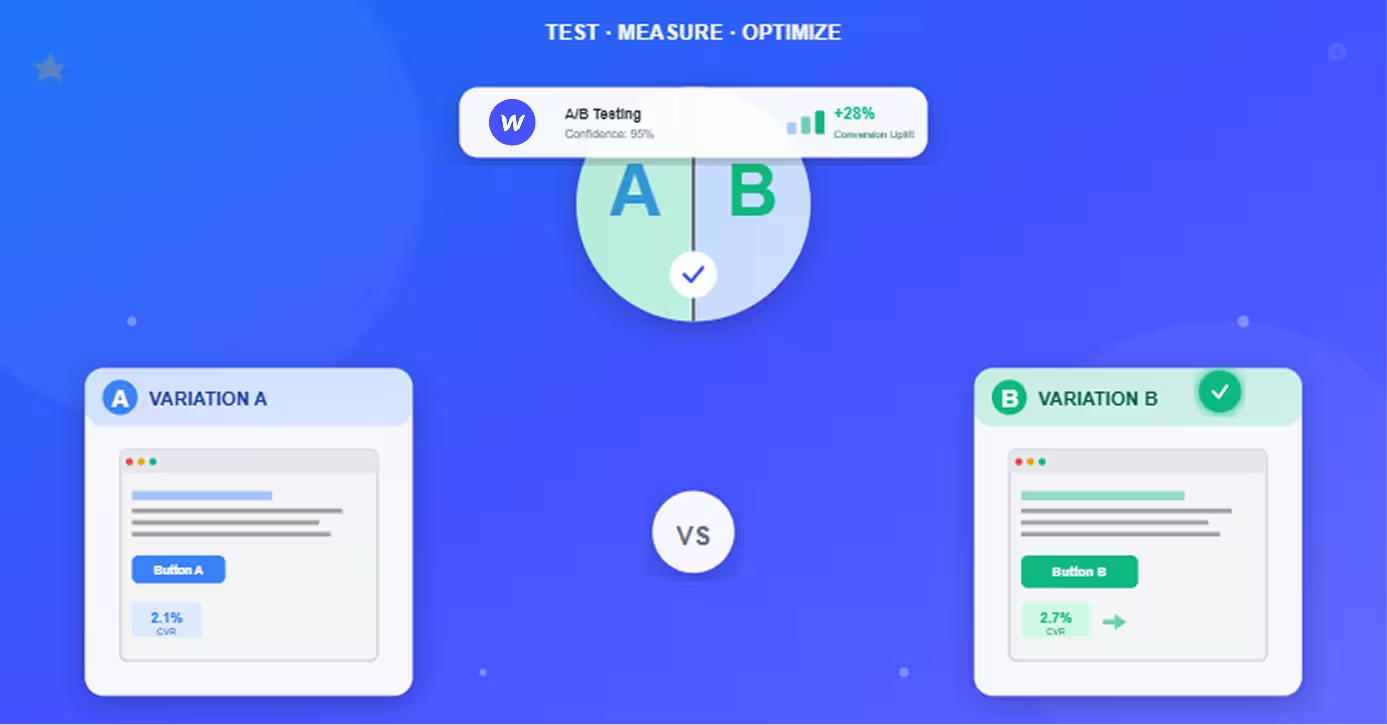
A/B Testing Preparation
Prepare to test and optimize post-launch.
Checklist:
- ✅ Baseline conversion rate established (measure before testing)
- ✅ Testing tool installed (Google Optimize, Optimizely, VWO)—see our roundup of Webflow A/B testing tools and methods for the best options for Webflow sites specifically
- ✅ First test hypothesis ready (what you'll test first: headline, CTA, form length)
- ✅ Traffic sufficient (need ~1,000 visitors/week minimum for meaningful tests)
Plan: Don't test blindly—form hypothesis, test one variable at a time, require statistical significance.
Legal & Compliance
Legal issues can shut down campaigns—ensure compliance.
Privacy Policy Links
Required by law in most jurisdictions when collecting data.
Checklist:
- ✅ Privacy policy exists (explains data collection and usage)
- ✅ Privacy policy linked from footer (visible and accessible)
- ✅ Privacy policy linked near form (GDPR best practice)
- ✅ Policy up to date (reflects current practices)
GDPR requirement: Must obtain explicit consent for EU visitors before collecting data.
Cookie Consent
EU law requires cookie consent banner.
Checklist:
- ✅ Cookie consent banner implemented (if targeting EU traffic)
- ✅ Consent options clear (accept, reject, customize)
- ✅ Non-essential cookies blocked until consent (analytics, marketing pixels)
Tool: Use cookie consent solutions like CookieYes, OneTrust, or Termly.
GDPR/CCPA Compliance
Data privacy regulations have teeth—ensure compliance.
Checklist:
- ✅ Opt-in checkbox for marketing (not pre-checked)
- ✅ Unsubscribe option (in all marketing emails)
- ✅ Data deletion process (how users can request data removal)
- ✅ Third-party data sharing disclosed (if applicable)
When required: GDPR applies to EU visitors. CCPA applies to California residents.
Terms of Service
Protect your business legally.
Checklist:
- ✅ Terms of service exist (legal agreement for service use)
- ✅ Terms linked from footer (accessible to users)
- ✅ Terms reviewed by lawyer (if collecting payment or storing data)
Don't skip: Use template as starting point, but have legal review for your specific use case.
Final Pre-Launch Tests
Last checks before going live with traffic.
Cross-Browser Testing
Your landing page must work everywhere visitors find it.
Checklist:
- ✅ Chrome tested (50%+ market share)
- ✅ Safari tested (macOS and iOS users)
- ✅ Firefox tested (especially for tech audiences)
- ✅ Edge tested (enterprise users)
- ✅ Mobile browsers tested (Chrome Mobile, Safari Mobile)
Tool: BrowserStack or LambdaTest for testing multiple browsers without installing all.
Device Testing
Don't rely solely on responsive preview—test real devices.
Checklist:
- ✅ iPhone tested (multiple models if possible)
- ✅ Android tested (Samsung, Google Pixel)
- ✅ iPad tested (tablet experience)
- ✅ Desktop tested (multiple screen sizes)
Minimum: Borrow phones from colleagues or use device testing services.
Link Checking
Broken links destroy credibility and conversions.
Checklist:
- ✅ All links click-tested (CTA buttons, navigation, footer links)
- ✅ External links open in new tab (keeps visitors on your page)
- ✅ No 404 errors (all destinations exist)
- ✅ No broken images (all media loads properly)
Tool: Use W3C Link Checker or browser extensions to find broken links automatically.
Load Testing
Ensure page handles traffic without crashing.
Checklist:
- ✅ Expected traffic estimated (how many concurrent visitors?)
- ✅ Load test conducted (simulate expected traffic)
- ✅ Hosting scaled if needed (upgrade if performance degrades under load)
- ✅ CDN configured (distributes load geographically)
Tools: Loader.io, LoadImpact for simulating traffic.
Stakeholder Review
Fresh eyes catch issues you've become blind to.
Checklist:
- ✅ Marketing team review (messaging, positioning accurate?)
- ✅ Sales team review (does offer match sales promises?)
- ✅ Design team review (visual quality, brand consistency?)
- ✅ Legal review (compliance verified, especially for regulated industries)
- ✅ Executive review (if high-stakes campaign)
Process: Share staging link, collect feedback, address critical issues before launch.
Conclusion
This checklist stands between a high-converting landing page and an expensive failed campaign.
Skipping steps is tempting when deadlines loom—but the 60-90 minutes invested in thorough pre-launch checks saves thousands in wasted ad spend and prevents the embarrassment of launching broken pages to live traffic.
The pattern: Companies that systematically check landing pages before launch see 20-50% higher conversion rates than those that rush to publish. Issues caught during checklist review cost minutes to fix. Same issues caught after launch cost conversions, credibility, and revenue.
Your pre-launch routine:
- Content & messaging: 15 minutes
- Design & UX: 20 minutes
- Technical & SEO: 15 minutes
- Conversion optimization: 10 minutes
- Legal compliance: 5 minutes
- Final testing: 25 minutes
Next steps after launch: Once your page is live and verified, set up proper lead funnel tracking to measure everything that matters—our blueprint for building lead funnels on Webflow with GTM and GA4 covers exactly how to connect every conversion event to your reporting stack.
The companies winning with landing pages aren't necessarily more talented or better funded—they're more systematic. They catch problems in review instead of in production. They invest minutes in prevention instead of hours in crisis management.
Launch confidently knowing your landing page works perfectly before the first visitor arrives.
Frequently Asked Questions
How long should it take to complete this entire checklist?
60-90 minutes for thorough completion—don't rush it.
Time breakdown by section:
Content & Messaging (15 minutes):
- Headline review: 3 minutes
- Body copy review: 5 minutes
- CTA check: 2 minutes
- Social proof verification: 3 minutes
- Spelling/grammar: 2 minutes
Design & UX (20 minutes):
- Visual hierarchy check: 3 minutes
- Mobile responsiveness testing: 8 minutes (multiple devices)
- Load speed testing: 4 minutes (PageSpeed Insights, GTmetrix)
- Imagery review: 3 minutes
- Accessibility check: 2 minutes
Technical & SEO (15 minutes):
- Meta tags: 3 minutes
- Form testing: 5 minutes (submit test leads)
- Analytics verification: 4 minutes
- URL structure: 1 minute
- Page speed: 2 minutes
Conversion Optimization (10 minutes):
- CTA placement review: 2 minutes
- Form optimization: 3 minutes
- Trust signals check: 2 minutes
- Distraction audit: 2 minutes
- A/B test prep: 1 minute
Legal Compliance (5 minutes):
- Privacy policy link: 1 minute
- Cookie consent: 2 minutes
- GDPR/CCPA review: 2 minutes
Final Testing (25 minutes):
- Cross-browser testing: 8 minutes
- Device testing: 10 minutes
- Link checking: 3 minutes
- Load testing: 2 minutes
- Stakeholder review: 2 minutes (scheduling, not waiting)
Total: 90 minutes maximum
Shortcuts that work:
- Run automated tools (PageSpeed, link checkers) while doing manual review
- Test multiple browsers simultaneously if multiple computers available
- Delegate sections to team members for parallel completion
Shortcuts that don't work:
- Skipping mobile testing ("looks fine in responsive preview")
- Skipping form testing ("it's a standard form")
- Skipping real device testing ("emulator is good enough")
Reality check: First time through checklist takes 90 minutes. After doing it 5-10 times, experienced teams complete in 45-60 minutes without missing steps.
ROI calculation: 90 minutes of review time prevents issues that cost 5-20 hours to diagnose and fix after launch, plus lost conversions during downtime. Time investment pays for itself 5-20× over.
What are the most commonly missed items that hurt conversions?
The "invisible" problems that destroy conversions silently:
1. Broken form submissions (35% of issues):
- Form appears to work visually
- Submit button clicks, loading spinner shows
- Confirmation message displays
- But leads don't actually send to CRM/email
- Result: Appear to get conversions, actually lose 100% of leads
- Prevention: Actually submit test leads, verify receipt in multiple systems
2. Mobile form issues (25% of issues):
- Form works perfectly on desktop
- Mobile keyboard covers submit button
- Autocomplete doesn't trigger properly
- Touch targets too small for fingers
- Result: Mobile visitors (60%+ of traffic) can't convert
- Prevention: Test forms on actual mobile devices, not just responsive preview
3. Slow page speed on mobile (20% of issues):
- Desktop loads in 2 seconds (acceptable)
- Mobile loads in 8 seconds (53% of visitors bounce)
- Large uncompressed images main culprit
- Result: Lose majority of mobile traffic before they see offer
- Prevention: Test mobile speed on actual 4G connection (PageSpeed mobile score)
4. Missing or broken analytics (10% of issues):
- Tracking code missing or misconfigured
- Conversions don't register in Google Analytics
- Can't measure performance or optimize
- Result: Flying blind, no idea what's working
- Prevention: Submit test conversion, verify it appears in analytics real-time view
5. Unclear value proposition (5% of issues):
- Headline focuses on features not benefits
- Jargon-heavy copy confuses visitors
- Visitors don't understand what you're offering
- Result: High bounce rate, low engagement
- Prevention: Show to someone unfamiliar with product—can they explain it?
6. Weak or invisible CTA (3% of issues):
- CTA button blends into design
- Generic "Submit" instead of benefit-focused text
- CTA below fold or too far down page
- Result: Visitors interested but don't know what action to take
- Prevention: Squint test, screenshot analysis, contrast check
7. Privacy/trust issues (2% of issues):
- No privacy policy link
- Missing security badges
- No social proof
- Result: Visitors hesitant to share information
- Prevention: Checklist items for trust signals
Prevention hierarchy:
- Always test: Forms, mobile, speed
- Usually test: Analytics, CTA visibility, value proposition
- Sometimes test: Cross-browser, edge cases, legal compliance
The insight: Most common failures are technical (forms, mobile, speed) not creative (messaging, design). Teams obsess over headline testing but launch with broken forms.
Can I skip sections if my landing page is simple?
Some sections are non-negotiable regardless of page complexity. Others scale with sophistication.
Never skip (mandatory for all landing pages):
Form functionality testing:
- Even single-field email capture must actually work
- Broken form = 100% lead loss
- 5 minutes to test saves campaign
Mobile responsiveness:
- 60%+ of traffic is mobile
- Broken mobile experience kills majority of conversions
- 10 minutes to test on real device
Page speed testing:
- Google PageSpeed Insights takes 2 minutes
- Slow pages lose visitors before they see offer
- Impact too high to skip
CTA visibility:
- If visitors can't find CTA, campaign fails
- 2-minute visual check
- Make or break element
Analytics verification:
- Can't optimize what you don't measure
- 5 minutes to verify tracking works
- Required for any paid traffic
Privacy policy link (if collecting any data):
- Legal requirement in most jurisdictions
- 1 minute to add link
- Protects business legally
Safe to simplify (for basic landing pages):
A/B testing preparation:
- If under 1,000 visitors/week, testing statistically difficult
- Focus on getting basics right first
- Add testing infrastructure later when traffic justifies
Advanced accessibility:
- Basic accessibility (alt text, contrast) still required
- Full WCAG compliance can wait if resources limited
- Prioritize keyboard navigation and contrast
Load testing:
- If expecting <1,000 concurrent visitors, probably not needed
- Standard hosting handles small campaigns
- Add if expecting viral traffic or major launch
Extensive cross-browser testing:
- Chrome + Safari + one mobile browser covers 90%+ of traffic
- Edge cases (old IE, niche browsers) lower priority for simple pages
- Full matrix testing for enterprise or complex pages
Legal beyond basics:
- Privacy policy and cookie consent required
- Full GDPR/CCPA compliance processes can be phased
- Consult lawyer for high-risk industries (finance, healthcare, legal)
Simple landing page minimum checklist (30 minutes):
- ✅ Submit test form lead, verify receipt (5 min)
- ✅ Test on iPhone and Android (8 min)
- ✅ Run Google PageSpeed Insights (2 min)
- ✅ Check CTA visibility and contrast (2 min)
- ✅ Verify analytics tracking test conversion (3 min)
- ✅ Add privacy policy link (1 min)
- ✅ Spell check and read aloud (5 min)
- ✅ Check all links work (2 min)
- ✅ Review on Chrome and Safari (2 min)
Even simplest landing page deserves 30-minute quality check. These core items prevent 90% of problems.
Should I use this checklist for every landing page or just important campaigns?
Every landing page deserves systematic review—but prioritize based on traffic and stakes.
Use full 90-minute checklist for:
High-traffic campaigns:
- Paid advertising (Google Ads, Facebook Ads) sending 1,000+ visitors
- Email sends to large lists (10,000+ recipients)
- Organic landing pages targeting high-volume keywords
- Why: More traffic = more potential conversions lost if broken
High-value offers:
- Lead generation for high-ticket services ($10,000+ deal size)
- E-commerce products with $100+ order values
- Enterprise software trials
- Why: Each conversion worth more; can't afford to lose leads. Our guide on why you need conversion optimization for sales growth explains the compounding revenue impact of even small conversion rate improvements
Brand-critical launches:
- New product announcements
- Partnership launches
- PR campaign landing pages
- Why: Broken page damages brand reputation publicly
First-time campaigns:
- New offer or product
- New audience or market
- New design or approach
- Why: Higher risk of issues; no performance baseline
Use abbreviated 30-minute checklist for:
Low-traffic tests:
- A/B test variations (original already vetted)
- Minor offer tweaks
- Internal-only or small audience tests
- Why: Lower stakes justify faster review
Iterative improvements:
- Landing pages already live and proven
- Small updates (pricing change, testimonial addition)
- Same template/structure as working pages
- Why: Core functionality already validated
Abbreviated checklist focus:
- Form functionality (5 min)
- Mobile test (5 min)
- Page speed check (2 min)
- New content review (10 min)
- Analytics verification (3 min)
- Link check (3 min)
- Stakeholder approval (2 min)
Never skip entirely:
Even quick updates deserve quick review. Stories of "simple updates" breaking entire pages are legion:
- Updated headline? Accidentally broke form HTML.
- Changed image? Slowed page speed 4 seconds.
- Added testimonial? Pushed CTA below fold on mobile.
Systematic approach wins: Teams using checklists consistently catch 85-95% of issues before launch. Teams reviewing ad-hoc catch 40-60%.
The rule: If it's worth driving traffic to, it's worth 30 minutes of review. Period.
Risk-based prioritization:
- High risk (new page, high traffic, high value): 90-minute full checklist
- Medium risk (existing page, moderate traffic, proven template): 45-minute partial checklist
- Low risk (minor update, low traffic, tested template): 30-minute essential checklist
- No risk (no such thing—minimum 30 minutes always)
Make it habitual: Checklist becomes faster with practice. After 10 uses, teams complete abbreviated version in 20-25 minutes without missing critical items.