Introduction
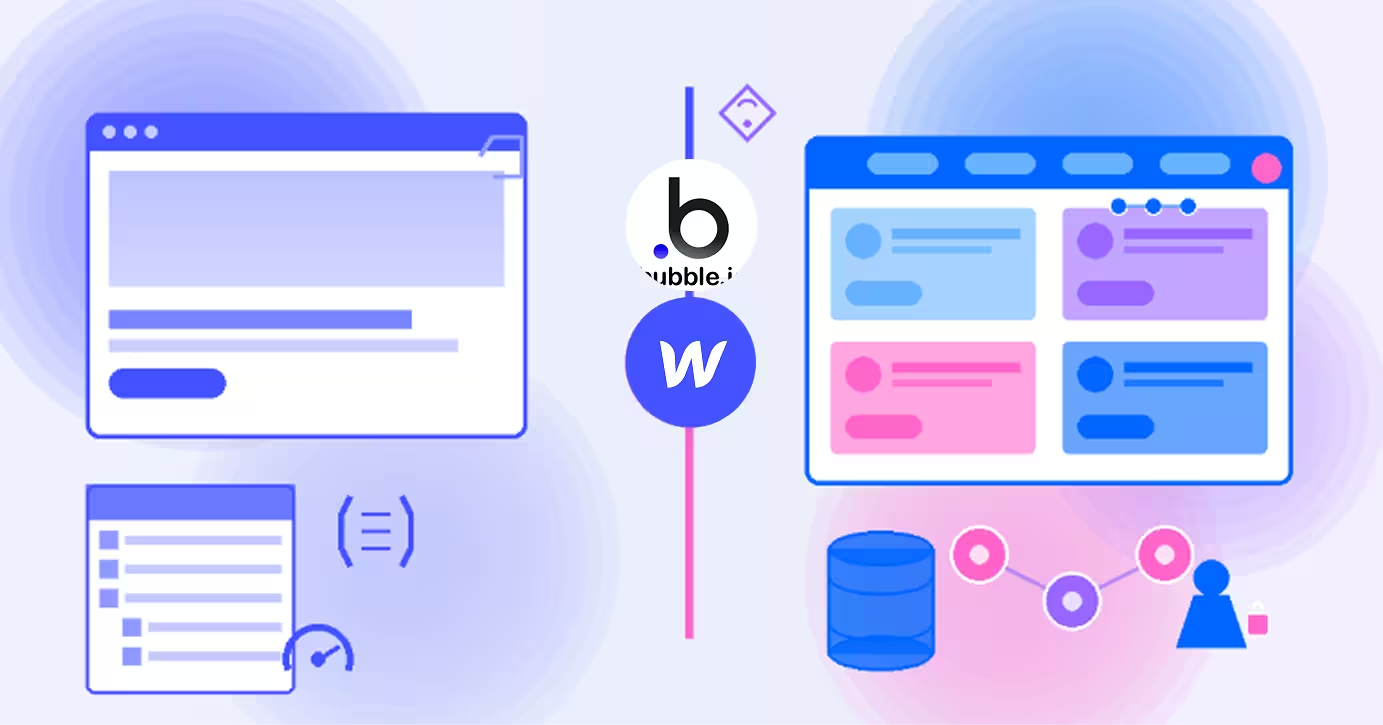
The no-code movement has split into two distinct paths: tools for building marketing websites and platforms for creating web applications. Understanding the difference between Webflow and Bubble is crucial because choosing the wrong platform can derail your entire project before you begin.
Webflow is a visual website builder that transforms design into production-ready HTML, CSS, and JavaScript. It's the designer's dream tool for creating stunning marketing sites, portfolios, and content-driven websites without writing code. Think of it as a professional design tool that outputs real websites.
Bubble, on the other hand, is a full-stack web application builder that lets you create interactive software platforms—think Airbnb, marketplaces, SaaS products, or social networks. It handles databases, user authentication, complex workflows, and business logic visually, without traditional programming.
Both are "no-code," but they're built for fundamentally different purposes. This comprehensive comparison examines their strengths, limitations, and ideal use cases across design, functionality, performance, and pricing. Whether you're launching a company website or building the next breakthrough app, this guide will help you choose the right platform.
Webflow: No-Code for Beautiful Websites
Webflow has revolutionized how designers create professional websites, offering pixel-perfect design control with the power of hand-coded sites but through a visual interface.
What Webflow Excels At
Design Precision: Webflow provides unprecedented visual control over every design element. The interface maps directly to CSS properties, giving you designer-level precision over typography, spacing, animations, and responsive behavior. What you design is exactly what users see.
Clean Code Output: Unlike many builders, Webflow generates production-grade HTML and CSS that rivals hand-coded websites. The code is semantic, accessible, and optimized for performance. Developers respect Webflow because the output is clean and maintainable.
CMS for Content: Built-in content management system perfect for blogs, portfolios, case studies, and dynamic content. Create custom content types (Collections) and design exactly how that content appears on your site.
Advanced Interactions: Create complex animations and interactions including scroll-triggered effects, timed sequences, and hover states—all visually without JavaScript. Professional-grade motion design is built into the platform.
Hosting and Performance: Webflow includes fast, global CDN hosting with automatic SSL, image optimization, and excellent Core Web Vitals scores. Your site loads fast globally without optimization effort.
Ideal Use Cases
- Marketing websites and landing pages
- Portfolio sites for agencies and creatives
- Company websites with blogs and resources
- E-commerce stores (basic to medium complexity)
- Microsites and campaigns requiring quick deployment
- Projects where design quality is paramount
Limitations
Webflow is designed for websites, not applications. It has minimal backend functionality—no user-generated content, no complex databases, no sophisticated user authentication, and limited workflow logic. You can't build a marketplace, social network, or SaaS platform in Webflow alone.
Bubble: No-Code for Web Applications
Bubble is a complete application development platform that handles frontend, backend, database, and workflows all in one visual environment. It's for building actual software products.
What Bubble Delivers
Full Database Functionality: Bubble includes a built-in database where you define custom data types, relationships, and privacy rules. Store user profiles, posts, products, transactions—anything your application needs.
User Authentication: Comprehensive user management system with signup, login, password reset, email verification, and role-based permissions. Build multi-user applications with complex access control.
Visual Programming: Create complex business logic through visual workflows. Handle conditional logic, API calls, data manipulation, scheduled tasks, and automated processes without writing code.
Custom Workflows: Design what happens when users interact with your app—form submissions, button clicks, page loads. Chain multiple actions together to create sophisticated application behavior.
API Integration: Connect to external services via APIs (Stripe for payments, Twilio for SMS, etc.) or expose your own API for mobile apps or third-party integrations.
Responsive Design: Build interfaces that work across devices, though with less design precision than Webflow. The focus is on functionality over pixel-perfect aesthetics.
Perfect Scenarios
- SaaS products and software platforms
- Marketplaces (Airbnb-style, e-commerce, services)
- Social networks and community platforms
- Internal tools and dashboards
- Booking systems and scheduling applications
- Directory platforms with user-generated content
- Projects requiring complex workflows and logic
Constraints
Bubble's design capabilities are limited compared to dedicated design tools. Achieving pixel-perfect, award-winning designs is challenging. Performance can suffer with complex applications—pages may load slower than static Webflow sites. SEO is possible but requires more effort than Webflow.
Head-to-Head Comparison
Let's examine how Webflow and Bubble stack up across critical dimensions:
Primary Use Case and Purpose
Webflow: Built for content websites—marketing sites, portfolios, blogs, and basic e-commerce. The focus is presenting information beautifully with excellent content management.
Bubble: Built for interactive applications—platforms where users create accounts, generate content, interact with each other, and perform complex actions. The focus is functionality and workflows.
Winner: Neither—they serve completely different purposes. Webflow for websites, Bubble for applications.
Design Capabilities and Control
Webflow: Offers professional design-level control with a visual interface that maps to CSS. Achieve pixel-perfect layouts, complex animations, and award-winning aesthetics. Designers love the creative freedom.
Bubble: Provides functional design capabilities focused on building UIs that work rather than winning design awards. You can create attractive interfaces, but achieving Webflow-level design polish is difficult.
Winner: Webflow dramatically outperforms Bubble in design capabilities and visual aesthetics.
Backend and Database Functionality
Webflow: Has minimal backend capabilities. The CMS handles content types, but there's no true database, no user-generated content storage, and no complex data relationships. It's designed for content presentation, not data applications.
Bubble: Offers a complete database system with custom data types, relationships, privacy rules, and the ability to store unlimited user-generated content. Build applications with millions of database records.
Winner: Bubble completely dominates backend functionality—Webflow isn't designed for this.
User Authentication and Logic
Webflow: Has no native authentication beyond e-commerce customer accounts. Building member areas requires third-party services (Memberstack, Wized) or custom code. Conditional logic is extremely limited.
Bubble: Includes comprehensive user authentication with signups, logins, roles, permissions, and email workflows built-in. Visual programming enables complex conditional logic and business rules.
Winner: Bubble offers full authentication and logic capabilities; Webflow requires workarounds.
Performance and SEO
Webflow: Delivers exceptional performance with fast loading times, excellent Core Web Vitals, automatic image optimization, and clean HTML. SEO tools are built-in and effective. Sites consistently score 90+ on Lighthouse.
Bubble: Performance varies based on application complexity. Simple apps can be fast, but complex applications with many database queries may load slowly. SEO requires manual optimization and isn't Bubble's strength.
Winner: Webflow significantly outperforms Bubble in speed and SEO capabilities.
Learning Curve
Webflow: Requires understanding HTML/CSS concepts like box model, flexbox, and responsive design. The learning curve is moderate—expect weeks to become proficient. Designers adapt faster than non-technical users.
Bubble: Demands understanding programming concepts like databases, data types, workflows, and conditional logic. The learning curve is steeper—expect months to build complex applications. It's visual programming, which is still programming.
Winner: Webflow is easier to learn for simple projects; both require significant investment for mastery.
Pricing Structure
Webflow:
- Basic: $14/month per site
- CMS: $23/month per site
- Business: $39/month per site
- E-commerce: $29/month per site
- Includes hosting, SSL, and bandwidth
Bubble:
- Free: Limited to development mode
- Starter: $29/month (1 app in production)
- Growth: $119/month (2 apps, increased capacity)
- Team: $349/month (multiple apps, team features)
- Additional costs for server capacity and workflow usage
Winner: Webflow is more affordable for simple websites; Bubble costs more but enables application functionality.
When to Choose Webflow
Choose Webflow when you need to:
- Build marketing websites and landing pages
- Create portfolio or agency sites with stunning design
- Launch company websites with blogs and resources
- Develop basic e-commerce stores with standard functionality
- Prioritize design quality and aesthetics above all
- Need exceptional SEO and performance out of the box
- Want fast, CDN-hosted delivery with zero maintenance
- Deliver projects where content presentation is the primary goal
- Work with clients who need easy content editing through the CMS
- Avoid ongoing server management and scaling concerns
Webflow excels when the end product is a content website where design matters and performance is critical. It's perfect for marketing teams, agencies, and businesses that need beautiful, fast websites.
When to Choose Bubble
Choose Bubble when you need to:
- Build SaaS products and software platforms
- Create marketplaces (two-sided platforms connecting buyers and sellers)
- Develop social networks or community platforms
- Build internal tools and custom dashboards
- Create applications with user-generated content and accounts
- Implement complex business logic and workflows
- Need custom databases with relationships and privacy rules
- Build booking or scheduling systems with availability logic
- Develop directories or listing platforms with search and filters
- Create MVPs and prototypes for investor validation
Bubble is ideal when you're building actual software that requires backend functionality, databases, user authentication, and complex workflows. It's perfect for founders, startups, and teams building application-based businesses.
Conclusion
Webflow and Bubble are both powerful no-code platforms, but they're designed for fundamentally different purposes. Webflow excels at creating beautiful, fast-loading websites with exceptional design control and performance. Bubble enables building functional web applications with databases, user authentication, and complex logic.
The choice is usually obvious once you understand what you're building: if it's a content website (marketing site, portfolio, blog, company site), choose Webflow. If it's an interactive application (SaaS, marketplace, social network, internal tool), choose Bubble.
For some projects, you might use both: Webflow for your marketing website and Bubble for your application. Many SaaS companies maintain their marketing site in Webflow (for design and performance) while building their actual product in Bubble (for functionality).
The "better" platform is whichever matches your project requirements. Both enable building professional products without traditional coding, but understanding their strengths ensures you choose the right foundation for success.
FAQs
Q: Can I build a web app in Webflow or a website in Bubble?
A: Technically yes, but both would be suboptimal. You can build basic websites in Bubble, but they'll lack Webflow's design polish and performance. You can add limited app features to Webflow with third-party tools, but you'll hit limitations quickly. Use each tool for its intended purpose.
Q: Which is better for e-commerce—Webflow or Bubble?
A: For standard e-commerce (selling products, processing payments, managing inventory), Webflow's native e-commerce is simpler and performs better. For marketplace platforms (connecting buyers and sellers like Etsy or Airbnb), Bubble is the better choice due to its database and user management capabilities.
Q: Can I integrate Webflow and Bubble together?
A: Yes. Common pattern: use Webflow for your marketing website (webflow.com) and Bubble for your web application (app.webflow.com). They can share design elements and link to each other, though they remain separate platforms requiring separate subscriptions.
Q: Which platform is easier to learn for non-developers?
A: Neither is "easy," but Webflow is more approachable for designers, while Bubble suits those who understand logic and systems thinking. Webflow requires design concepts; Bubble requires programming concepts. Both require significant learning investment—expect weeks for Webflow basics, months for Bubble proficiency.
Q: Does Bubble or Webflow have better community support?
A: Both have excellent communities. Webflow has extensive tutorials, Webflow University, and active forums focused on design and websites. Bubble has comprehensive documentation, Bubble Academy, and forums focused on application development and workflows. Both platforms offer strong community support for their respective use cases.