Introduction
B2B lead generation demands more than flashy design—it requires credibility, performance, and systematic conversion optimization at every touchpoint of increasingly complex buyer journeys.
The B2B challenge: Traditional website builders force compromises between design quality, page speed, and developer dependency. WordPress requires constant maintenance, templates look generic, and slow load times kill conversions before buyers even read your value proposition. B2B buyers researching solutions won't wait for 5-second page loads or tolerate poor mobile experiences.
The Webflow advantage: Exceptional performance (90-100 PageSpeed scores), professional design flexibility, and marketing team autonomy create the foundation for effective B2B lead generation. Build landing pages that load instantly, create gated content libraries that scale, and optimize conversion paths without waiting for developers.
The stakes: B2B sales cycles are long (3-6+ months) and expensive—wasted leads from poor website experience cost thousands per opportunity. Every bounce, confused visitor, or broken form submission is a potential six-figure deal lost to competitors with better digital experiences.
This guide covers proven B2B lead generation strategies specifically leveraging Webflow's capabilities—from high-converting landing pages to gated content systems, case study showcases to CRM integrations. Whether selling SaaS, professional services, or enterprise solutions, you'll learn tactics that generate qualified leads at scale.
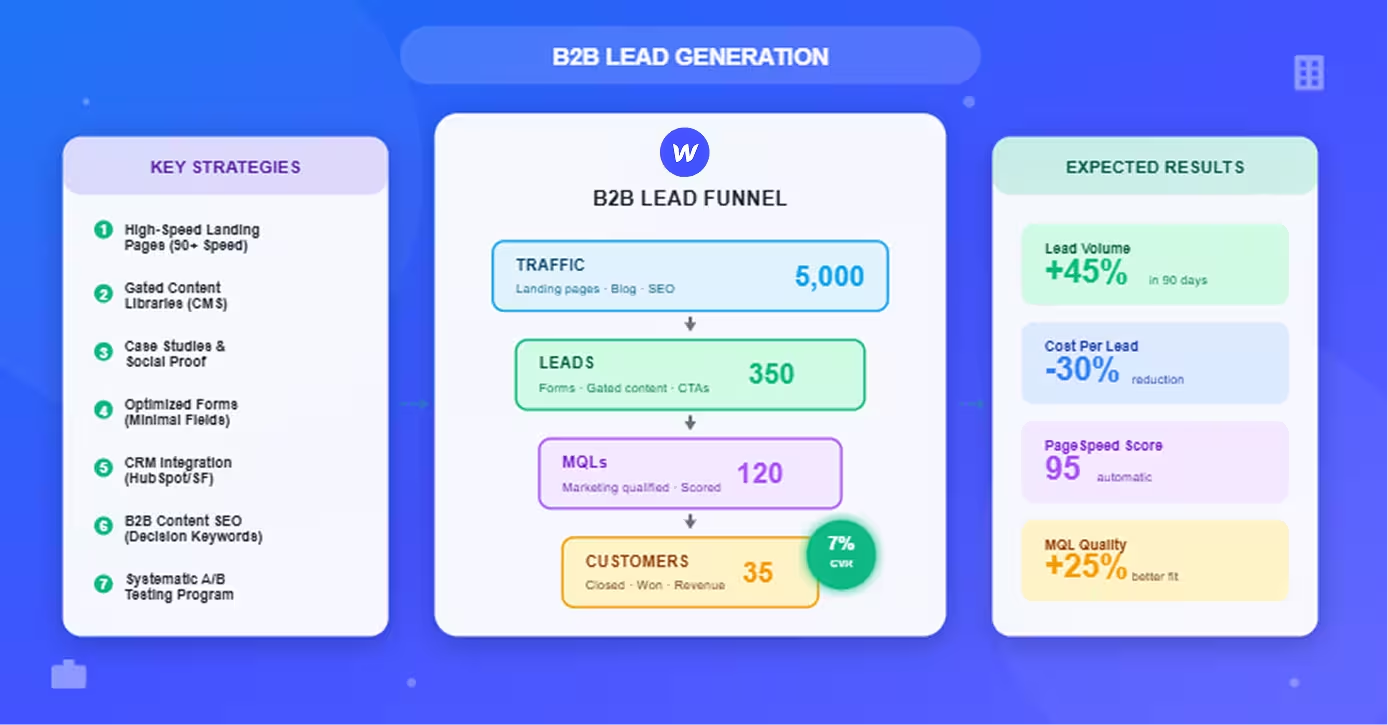
Expected outcomes: Implementation of these strategies typically generates 30-60% more qualified leads within 90 days while reducing cost per lead 20-40%.
Building High-Converting Landing Pages
Landing pages are your first impression with B2B buyers—Webflow's performance and design capabilities maximize conversion potential.
Speed and Performance for B2B Buyers
B2B decision-makers are time-constrained—slow pages lose qualified leads.
Why speed matters more in B2B:
- Executive buyers are impatient: C-level prospects abandon slow sites immediately
- Mobile research is common: 60% of B2B research happens on mobile devices
- Competitor comparisons are simultaneous: Slow site = lost to faster competitor
- Professional expectations: Enterprise buyers expect premium experiences
Webflow's performance advantage:
- 90-100 PageSpeed scores automatic: No optimization work required
- Sub-2-second load times globally: CDN delivers content from nearest server
- Mobile performance optimized: Responsive images, lazy loading built-in
- No plugin bloat: Unlike WordPress, clean code means consistent speed
Impact on B2B conversion:
- 1-second delay = 7% conversion drop
- 5-second load time = 90% bounce rate
- Fast pages = 2-3× higher qualified lead rates
Optimization checklist:
- Compress images before upload (TinyPNG)
- Limit external scripts (tracking, chat widgets)
- Use Webflow's interactions sparingly (heavy animations slow pages)
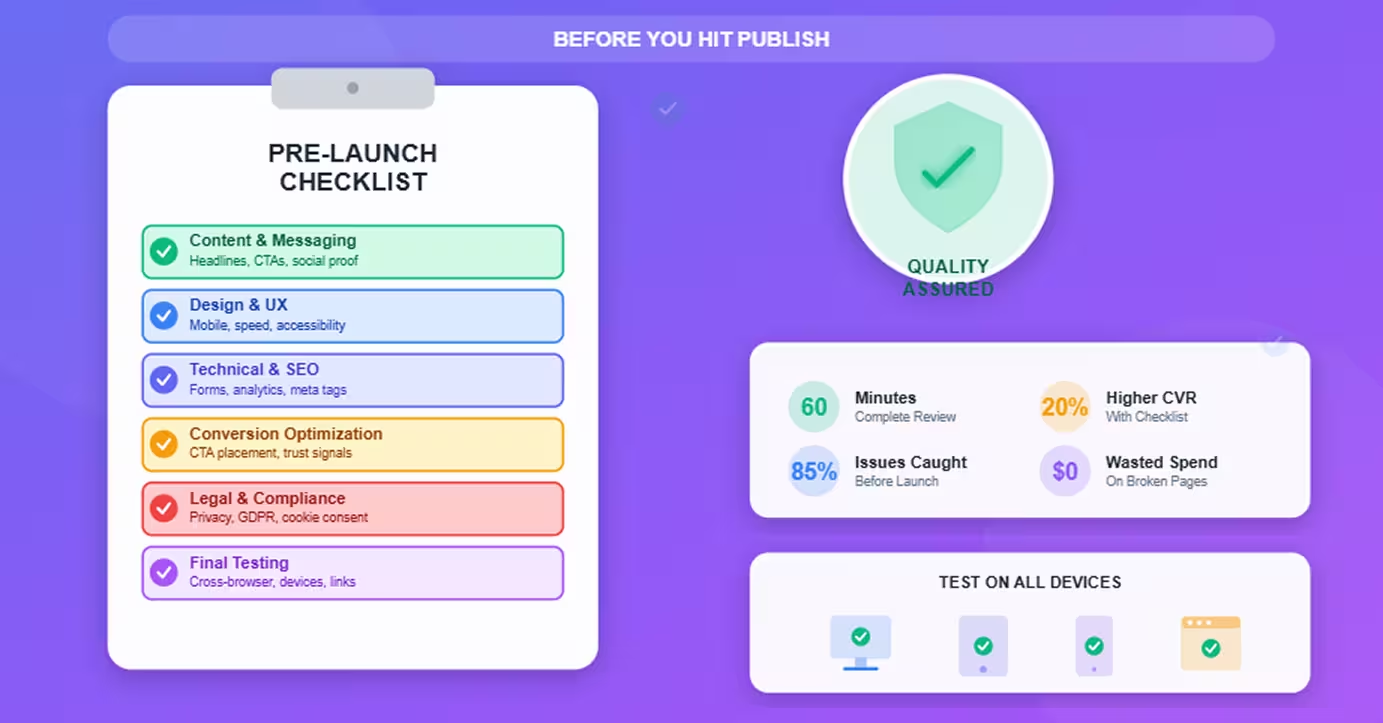
- Test on real devices (iPhone, Android, tablets)
Professional Design Credibility
B2B buyers judge vendor credibility by website quality—generic templates signal amateur operations.
Design elements that build trust:
Visual hierarchy:
- Clear headline stating value proposition (above fold)
- Supporting subheadline explaining how
- Professional imagery (not obvious stock photos)
- Consistent branding (colors, fonts, spacing)
White space strategy:
- Generous padding prevents overwhelming executives
- Focused attention on key messages
- Professional appearance vs. cluttered competitors
Brand consistency:
- Webflow Style Guide ensures consistency across pages
- Reusable components (buttons, cards, sections)
- Professional polish that scales
Custom design advantage:
- Differentiate from competitors using same WordPress themes
- Align precisely with brand guidelines
- Showcase industry expertise through design choices
Mobile Responsiveness for Executives
C-level buyers research on tablets and phones—poor mobile experience eliminates consideration.
Mobile optimization strategy:
Responsive breakpoints:
- Desktop layout (primary design)
- Tablet adaptations (simplified navigation)
- Mobile priority (vertical stack, large touch targets)
- Test at all breakpoints before launch
Touch-friendly elements:
- CTA buttons minimum 44×44 pixels
- Form fields large enough for fingers
- Adequate spacing between clickable elements
- Simplified mobile navigation
Mobile-specific optimizations:
- Click-to-call phone numbers
- Location-based content (for field sales)
- Simplified forms (fewer fields on mobile)
- Collapsible sections (accordion style)
Executive mobile behaviors:
- Quick evaluations during commutes
- Sharing links with colleagues via mobile
- Researching vendors between meetings
- Comparing options on tablets
Clear Value Propositions
B2B buyers need to understand what you offer in 5 seconds—ambiguity kills conversions.
Headline formula:
[Specific Outcome] for [Target Audience] without [Common Pain Point]
Examples:
- ❌ Bad: "Enterprise Software Solutions"
- ✅ Good: "Reduce IT Costs 40% for Mid-Market Companies Without Changing Infrastructure"
Value proposition elements:
Headline (8-10 words):
- Specific benefit (not vague promise)
- Target audience mentioned
- Differentiation from competitors
Subheadline (15-20 words):
- How you deliver the benefit
- What makes you different
- Who it's for (industry, company size)
Supporting proof:
- Customer logos (recognizable brands)
- Quantified results ("$2M saved on average")
- Industry awards or certifications
Webflow advantage: Typography controls and layout flexibility make testing value proposition variations easy.
Trust Signals and Social Proof
B2B purchases are high-risk—social proof reduces perceived risk.
Essential trust elements:
Client logos:
- Recognizable brand names (Fortune 500 if possible)
- Industry-specific companies (relevant to prospect)
- Company size indicators (if targeting specific segments)
- Updated regularly (show recent wins)
Testimonials:
- Specific results with numbers ("30% reduction in churn")
- Name, title, company, photo (credibility)
- Relevant to landing page offer
- Webflow CMS enables dynamic testimonial display
Trust badges:
- Security certifications (SOC 2, ISO 27001)
- Industry memberships (associations, partnerships)
- Awards and recognitions
- Media mentions (Forbes, TechCrunch)
Case study teasers:
- Brief success story highlighting key results
- Link to full case study
- Industry-specific examples
Gated Content and Lead Magnets
High-value content in exchange for contact information—the cornerstone of B2B lead generation.
Types of B2B Content That Converts
Not all content generates equal leads—focus on decision-making resources.
Top-performing B2B lead magnets:
Industry reports and research (highest conversion):
- Original data and insights
- Benchmark comparisons
- Trend analysis
- Competitive intelligence
Whitepapers:
- Deep-dive technical content
- Solution frameworks
- Implementation guides
- ROI calculators
Templates and tools:
- Spreadsheet calculators
- RFP templates
- Process checklists
- Assessment frameworks
Webinars and demos:
- Live product demonstrations
- Expert presentations
- Q&A sessions with prospects
- On-demand recordings
Case studies and success stories:
- Detailed customer journeys
- Before/after comparisons
- Implementation timelines
- ROI documentation
Conversion rates by content type:
- Industry reports: 15-25%
- Whitepapers: 10-15%
- Templates: 8-12%
- Webinars: 20-30% (but lower volume)
- Case studies: 5-10% (highly qualified)
Form Optimization Strategies
Every form field reduces conversions—minimize friction while capturing essential data.
Minimum viable fields (top of funnel):
- Work email (validates B2B buyer)
- First name (personalization)
- Company name (qualification)
- Optional: Job title, company size
Progressive profiling approach:
- First touch: Email + name only
- Second interaction: Add job title
- Third interaction: Add company details
- Builds data over time vs. overwhelming initially
Form design best practices:
Visual design:
- Clear labels above fields
- Ample padding for easy clicking
- Inline validation (real-time error checking)
- Progress indicators (multi-step forms)
Copy optimization:
- Benefit-focused submit button ("Get Your Free Guide" not "Submit")
- Privacy assurance below form ("We never share your email")
- Value reinforcement ("Join 10,000+ professionals")
Technical optimization:
- Autofill enabled (browser autocomplete)
- Appropriate keyboard types (email, phone, number)
- Tab order logical
- Error messages helpful ("Please enter a valid work email")
Webflow form features:
- Native form builder with validation
- Custom success messages or redirects
- Integration with email marketing (Mailchimp, HubSpot)
- Form submission data in Webflow dashboard
CMS-Driven Resource Libraries
Scale gated content with Webflow CMS—one template, unlimited resources.
Resource library structure:
CMS Collections setup:
- Collection: "Resources"
- Fields:
- Title
- Description/excerpt
- Resource type (dropdown: Whitepaper, Template, Report)
- Industry (multi-reference: SaaS, Healthcare, Finance)
- Thumbnail image
- PDF/file upload
- Gate status (toggle)
- Form to display
Template page:
- Dynamic resource details
- Gated download form
- Related resources (category-filtered)
- Social sharing options
Advantages of CMS approach:
- Scale easily: Add resources without design work
- Maintain consistency: Same template ensures brand alignment
- Filter and search: Visitors find relevant content
- Analytics per resource: Track which content converts best
- A/B test forms: Test form variations across all resources
Resource library best practices:
- Organize by industry or use case
- Update regularly (monthly minimum)
- Feature newest content prominently
- Show download counts (social proof)
- Include preview/snippet before gate
Integration with Marketing Automation
Connect Webflow forms to your marketing stack for lead nurturing.
Essential integrations:
CRM connections:
- HubSpot (native Webflow integration)
- Salesforce (via Zapier or native)
- Pipedrive (Zapier)
- ActiveCampaign (Zapier)
Email marketing:
- Mailchimp (native Webflow integration)
- ConvertKit (form embeds)
- SendGrid (API integration)
- Drip (Zapier)
Lead enrichment:
- Clearbit (append company data)
- ZoomInfo (B2B contact enrichment)
- LinkedIn Insights (company details)
Implementation approach:
Via Zapier (no-code):
- Trigger: Webflow form submission
- Action: Create contact in CRM
- Action: Add to email sequence
- Action: Notify sales team (Slack, email)
Via native integrations:
- Webflow > Integrations > Connect account
- Map form fields to CRM fields
- Test with submission
- Monitor for errors
Lead routing logic:
- Enterprise prospects → Sales immediately
- SMB prospects → Marketing nurture
- Based on company size, industry, or form responses
Case Studies and Social Proof
B2B buyers trust peer experiences more than marketing claims—showcase customer success strategically.
Creating Compelling Case Studies
Structure that converts:
Challenge section:
- Specific pain points customer faced
- Why previous solutions failed
- Stakes/consequences of inaction
Solution section:
- How your product/service addressed challenges
- Implementation process (timeframe, resources)
- Unique approach or methodology
Results section (most important):
- Quantified outcomes (percentages, dollars, time)
- Before/after comparisons
- Unexpected benefits
- Timeframe to results
Format elements:
- Customer quote highlighting key benefit
- Company logo and basic info
- Photos or screenshots (visual proof)
- Industry and company size (for targeting)
Using Webflow CMS for Scalability
One template, unlimited case studies—systematic social proof generation.
CMS structure for case studies:
Collection fields:
- Customer name and logo
- Industry and company size
- Challenge summary (short)
- Solution overview (short)
- Key results (bullet points)
- Full case study content (rich text)
- Customer quote and headshot
- Metrics (percentage improvement, dollar savings)
- Date published
Template features:
- Hero section with customer logo
- Challenge/solution/results sections
- Prominent results callouts
- Related case studies (same industry)
- CTA for similar prospects
Dynamic filtering:
- Filter by industry
- Filter by company size
- Filter by challenge type
- Filter by product/service
Benefits:
- Sales team can easily share relevant case studies
- Prospects self-select applicable examples
- Consistent format builds credibility
- Easy to maintain and update
Testimonial Placement Strategies
Where social proof appears matters—strategic placement increases impact.
High-impact locations:
Near CTAs (reduces friction):
- Above form: "Join 5,000+ companies"
- Below CTA: Short testimonial with headshot
- Pricing page: Testimonial about ROI
Industry-specific pages:
- Healthcare landing page = Healthcare client testimonial
- SaaS page = SaaS customer quote
- Relevance increases conversion 15-30%
Long-form content:
- Scattered throughout blog posts
- Section breaks in whitepapers
- Reinforces credibility as prospect engages
Homepage:
- Rotating testimonial carousel
- Or static testimonial grid
- Updated quarterly with recent wins
Webflow CMS for testimonials:
- Collection: "Testimonials"
- Fields: Quote, name, title, company, photo, industry
- Dynamically pull relevant testimonials per page
- Randomize display for variety
Lead Capture Forms and CTAs
Forms and CTAs are conversion moments—optimization here directly impacts lead volume.
Form Design Best Practices
Beyond basic fields—design forms that convert.
Visual design principles:
Layout:
- Single column (easier to complete)
- Generous padding around fields
- Clear visual hierarchy (primary CTA stands out)
- White space prevents overwhelm
Field styling:
- Large, easy-to-tap inputs (mobile-friendly)
- Clear label placement (above, not inside)
- Consistent styling across all forms
- Highlighted active field
Button design:
- Contrasting color (stands out from page)
- Large enough to be obvious (minimum 44×44px)
- Action-oriented text ("Get Free Demo" not "Submit")
- Loading state (shows processing)
Trust elements:
- Privacy assurance ("We respect your privacy")
- Security badge (SSL, data protection)
- No spam promise ("No spam, unsubscribe anytime")
Multi-Step Forms for Complex Sales
Reduce perceived friction by breaking long forms into steps.
When to use multi-step:
- 6+ total fields required
- Complex qualification needed
- High-value offers (demos, custom quotes)
- Enterprise sales (more information justified)
Structure approach:
Step 1: Basic information (3 fields):
- First name
- Last name
- Work email
Step 2: Company details (3 fields):
- Company name
- Job title
- Company size
Step 3: Needs assessment (2-4 fields):
- Primary challenge
- Current solution
- Timeline
- Budget range (optional)
Design elements:
- Progress indicator (Step 1 of 3)
- Back button (allow corrections)
- Save progress (for very long forms)
- Summary before submission
Webflow implementation:
- Use Webflow interactions for step transitions
- Hide/show div blocks per step
- Maintain single form (all data submits together)
- Or embed TypeForm/Jotform for complex logic
Strategic CTA Placement
Where CTAs appear determines how many visitors convert.
Essential CTA locations:
Above the fold:
- Primary CTA visible immediately
- Catches ready-to-convert visitors
- Highest conversion location (30-40% of conversions)
After value proposition:
- Once visitor understands offer
- Natural decision point
- Reinforces call to action
Throughout long pages:
- Every 2-3 scroll depths
- Persistent/sticky CTA (follows as scrolls)
- Multiple opportunities to convert
End of content:
- Blog posts: CTA to related resource
- Case studies: CTA to schedule demo
- Pricing page: Multiple tier CTAs
CTA hierarchy:
- One primary CTA (main action)
- Optional secondary CTA (alternative action)
- Don't compete with yourself (confuses visitors)
Value Exchange Optimization
Make value proposition crystal clear—what they get for their information.
Before the form:
- Headline states what they'll receive
- Bullet points detail contents/benefits
- Preview or sample (if applicable)
- Social proof (download count)
On the submit button:
- "Get Your [Specific Thing]" not generic "Download"
- "Access Free Guide" not "Submit"
- Reinforces value exchange
After submission:
- Thank you page with download link
- Set expectations ("Check your email in 5 minutes")
- Offer related resources (keep engaged)
- Optional: Schedule demo CTA
Content Marketing for Lead Nurturing
Blog content brings visitors, nurtures leads, and establishes thought leadership.
Blog Strategy for B2B
B2B content strategy differs from B2C—focus on decision-making support.
Content pillars (3-5 main topics):
- Industry trends and insights
- Solution guides and how-tos
- Comparison and evaluation content
- Company thought leadership
Content types that generate B2B leads:
Top of funnel (awareness):
- Industry statistics and trends
- "What is [Topic]" guides
- Problem identification content
- Broad educational content
Middle of funnel (consideration):
- Solution comparison guides
- "How to choose" content
- ROI calculators and frameworks
- Implementation guides
Bottom of funnel (decision):
- Vendor comparison content
- Case studies and results
- Product/service deep-dives
- Pricing and packaging guides
Gated vs ungated:
- Ungated: Blog posts, basic guides (SEO traffic)
- Gated: Deep research, templates, tools (lead generation)
SEO for B2B Keywords
B2B keywords are lower volume but higher value—target decision-maker searches.
Keyword targeting strategy:
Informational keywords (top funnel):
- "how to [solve problem]"
- "[industry] trends 2024"
- "what is [concept]"
- "best practices for [activity]"
Commercial keywords (mid funnel):
- "[solution] for [industry]"
- "[software] alternatives"
- "[tool] comparison"
- "best [category] software"
Transactional keywords (bottom funnel):
- "[product] pricing"
- "[service] cost"
- "[software] demo"
- "[solution] ROI calculator"
Webflow SEO advantages:
- Clean code structure
- Fast page speeds (ranking factor)
- Easy meta tag management
- Automatic XML sitemaps
- Mobile-responsive (mobile-first indexing)
On-page optimization:
- Target keyword in H1
- Keyword in URL slug
- Meta description with keyword
- Internal linking to related content
- Image alt text descriptive
Webflow CMS Capabilities
Publish and manage content at scale without developer dependency.
Blog setup in Webflow CMS:
Collection structure:
- Collection: "Blog Posts"
- Fields:
- Title
- Slug (URL)
- Excerpt/summary
- Main image
- Author (reference to Authors collection)
- Category (multi-reference: Industry, Topic)
- Tags
- SEO title and description
- Body content (rich text)
- Publication date
Template page:
- Blog post layout
- Author bio section
- Related posts (category-filtered)
- Social sharing buttons
- Lead capture CTA
Blog index page:
- Collection list of recent posts
- Filter by category or tag
- Search functionality (custom code)
- Pagination (Webflow native)
Publishing workflow:
- Draft → Review → Schedule → Publish
- No developer needed for new posts
- Marketing team full control
- Consistent formatting automatic
Analytics and Optimization
Track, measure, and improve lead generation systematically.
Tracking Setup for B2B
Essential analytics for B2B lead generation:
Google Analytics 4:
- Form submission tracking (conversion events)
- Thank you page tracking
- PDF download events
- Button click tracking (CTAs)
- Scroll depth (engagement)
CRM tracking:
- Lead source attribution
- Campaign tracking (UTM parameters)
- First-touch vs last-touch
- Multi-touch attribution
Heatmap and session recording:
- Hotjar or Crazy Egg
- See where visitors get stuck
- Identify form abandonment points
- Optimize based on behavior
Key Metrics to Monitor
B2B lead generation KPIs:
Volume metrics:
- Total leads generated
- Leads per channel (organic, paid, referral)
- Lead velocity (trend over time)
Quality metrics:
- Marketing Qualified Leads (MQLs)
- Sales Qualified Leads (SQLs)
- MQL to SQL conversion rate
- Lead to customer conversion rate
Cost metrics:
- Cost per lead (CPL)
- Cost per MQL
- Cost per customer acquisition (CAC)
- ROI by channel
Engagement metrics:
- Landing page conversion rate (benchmark: 5-15%)
- Form completion rate (50-70% typical)
- Bounce rate (under 40% good)
- Time on page (2+ minutes for consideration content)
Content metrics:
- Most visited pages
- Top converting content
- Gated content download rates
- Blog to lead conversion rate
Conversion Rate Optimization
Systematic improvement process for B2B lead generation.
Monthly CRO routine:
Week 1: Analysis
- Review conversion funnel
- Identify drop-off points
- Analyze heatmaps and recordings
- Prioritize opportunities
Week 2: Hypothesis
- Form hypothesis: "Reducing form from 6 to 4 fields will increase conversions 20%"
- Design test variation
- Document expected impact
Week 3: Implementation
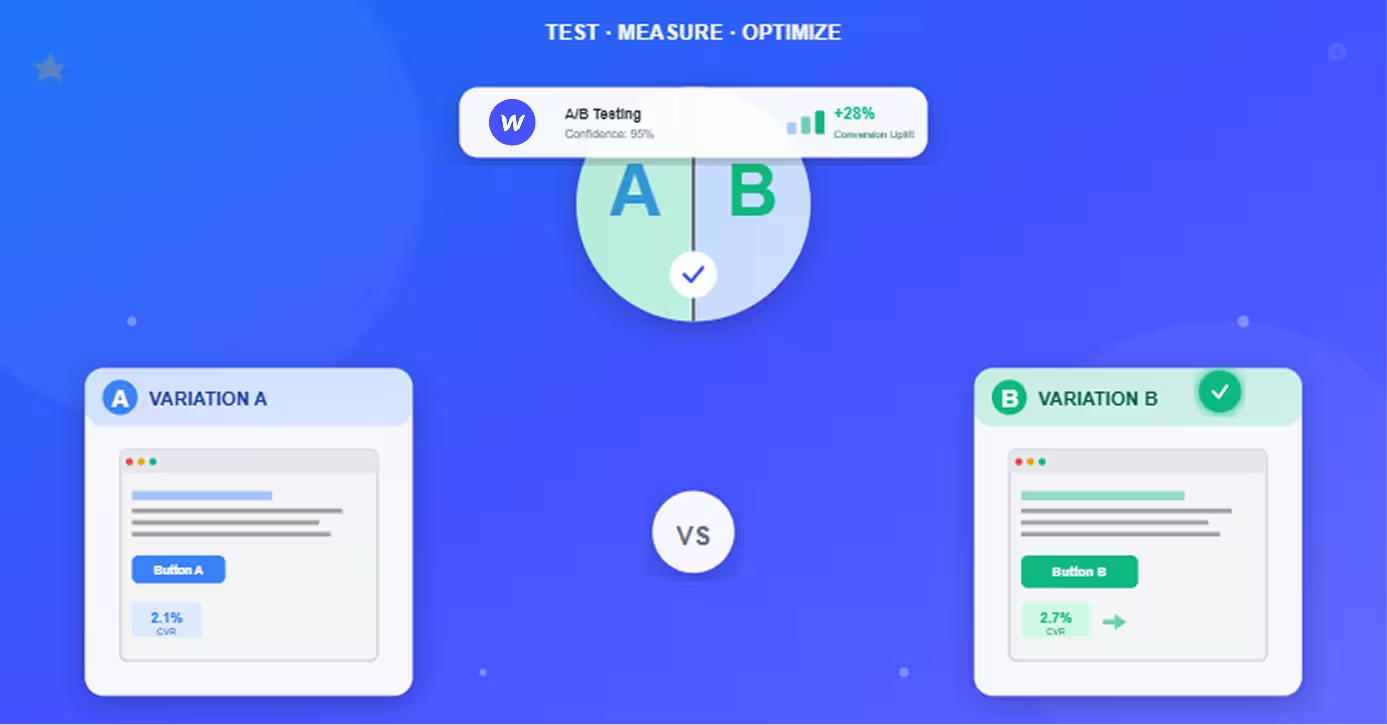
- Build test in VWO or Google Optimize
- QA test thoroughly
- Launch to 50/50 traffic split
Week 4: Results
- Monitor for statistical significance
- Implement winner
- Document learning
- Plan next test
High-impact test ideas:
- Form field reduction (each field = 5-10% drop)
- CTA button text and color
- Headline variations
- Social proof placement
- Page length (short vs long)
Conclusion
Webflow provides the foundation for effective B2B lead generation through performance, design flexibility, and marketing autonomy.
Strategy summary:
1. High-converting landing pages:
- 90-100 PageSpeed scores (automatic)
- Professional design credibility
- Mobile-optimized for executives
- Clear value propositions
- Strategic trust signals
2. Gated content system:
- CMS-powered resource library
- Optimized forms (minimal fields)
- Marketing automation integration
- Progressive profiling approach
3. Social proof showcase:
- Case studies at scale (CMS templates)
- Strategic testimonial placement
- Client logo displays
- Industry-specific proof
4. Lead capture optimization:
- Form design best practices
- Multi-step for complex sales
- Strategic CTA placement
- Value exchange clarity
5. Content marketing:
- B2B blog strategy
- SEO keyword targeting
- Webflow CMS for scale
- Internal linking for nurture
6. Systematic optimization:
- Analytics tracking setup
- Key metric monitoring
- Monthly CRO testing
- Continuous improvement
Implementation roadmap:
Month 1: Foundation
- Set up Webflow site/migrate
- Create 3-5 landing pages (top offers)
- Build one gated content piece
- Integrate CRM and analytics
Month 2: Content expansion
- Launch blog (publish 4-8 posts)
- Add 5-10 case studies
- Create 3-5 additional lead magnets
- Implement A/B testing
Month 3: Optimization
- Analyze performance data
- Run 4-8 CRO tests
- Refine targeting and messaging
- Scale what works
Expected results:
- 30-60% increase in qualified leads (90 days)
- 20-40% reduction in cost per lead
- 2-3× faster page loads vs previous platform
- 50%+ reduction in time to launch campaigns
The competitive advantage: While competitors struggle with slow WordPress sites, broken forms, and developer dependencies, your Webflow-powered lead generation system captures qualified buyers with fast, professional experiences optimized for conversion.
Start implementing today—your pipeline depends on it.
Frequently Asked Questions
How does Webflow compare to WordPress for B2B lead generation?
Webflow significantly outperforms WordPress for B2B lead generation through performance, design quality, and operational efficiency.
Performance comparison:
Page speed:
- Webflow: 90-100 PageSpeed scores automatic, 1-2s load times
- WordPress: 50-70 typical, 3-5s load times without optimization
- Impact: Fast pages convert 2-3× better in B2B contexts
Uptime reliability:
- Webflow: 99.99% uptime, enterprise-grade hosting
- WordPress: Varies by host, shared hosting issues common
- Impact: Downtime during prospect research = lost deals
Mobile performance:
- Webflow: Responsive by design, mobile-optimized automatically
- WordPress: Theme-dependent, often breaks on mobile
- Impact: 60% of B2B research on mobile—poor experience eliminates vendors
Design and credibility:
Professional appearance:
- Webflow: Custom designs, pixel-perfect control
- WordPress: Limited by themes, generic appearance common
- Impact: B2B buyers judge credibility by website quality
Brand consistency:
- Webflow: Style guide, reusable components, automatic consistency
- WordPress: Manual styling, frequent inconsistencies
- Impact: Professional polish influences vendor selection
Competitive differentiation:
- Webflow: Unique designs stand out
- WordPress: Same themes as competitors
- Impact: Memorable brand vs. commodity appearance
Operational efficiency:
Marketing team autonomy:
- Webflow: Marketing creates/edits pages without developers
- WordPress: Developer needed for most changes
- Impact: 4× faster campaign launches, lower costs
Maintenance overhead:
- Webflow: Zero maintenance (platform managed)
- WordPress: Weekly plugin updates, security patches, backups
- Impact: 10-20 hours/month saved vs. WordPress maintenance
Content publishing velocity:
- Webflow: Same-day publishing, template-driven consistency
- WordPress: Slower due to plugin conflicts, theme limitations
- Impact: More content = more leads
Lead generation features:
Form capabilities:
- Webflow: Native forms, CRM integration, no plugins
- WordPress: Requires plugins (Gravity Forms, Contact Form 7), conflicts common
- Impact: Fewer broken forms, higher capture rates
CMS for gated content:
- Webflow: Purpose-built CMS, scales to thousands of items
- WordPress: Database bloat, performance degrades at scale
- Impact: Sustainable content library growth
A/B testing:
- Webflow: Easy integration with VWO, Optimizely, Google Optimize
- WordPress: Possible but slower, plugin dependencies
- Impact: Faster optimization cycles
Cost comparison (annual):
Webflow:
- Platform: $276-468/year ($23-39/month)
- Zero maintenance time
- No plugin costs
- Total: $276-468/year
WordPress:
- Hosting: $120-600/year
- Premium plugins: $200-500/year (forms, SEO, caching, security)
- Maintenance: 120+ hours/year (valued at $6,000-12,000)
- Total: $320-1,100 + time cost
When WordPress makes sense:
- Already invested heavily (sunk cost)
- Need very specific plugins (no Webflow alternative)
- Extremely tight budget ($0 tolerance)
- Developers already on team managing WordPress
When Webflow is superior (most B2B companies):
- Performance matters (conversions, SEO)
- Design quality important (credibility)
- Marketing team velocity critical
- Want to eliminate maintenance overhead
- Scaling content library
Migration ROI: Companies migrating WordPress to Webflow for B2B lead gen typically see:
- 40-60% conversion rate improvement (performance + design)
- 50%+ faster campaign launches
- 80%+ reduction in maintenance time
- Positive ROI within 3-6 months
What integrations are essential for B2B lead generation on Webflow?
Core integrations connect Webflow to your marketing and sales stack for seamless lead management.
CRM integrations (highest priority):
HubSpot (native Webflow integration):
- Form submissions → HubSpot contacts automatically
- Lead scoring and segmentation in HubSpot
- Email nurture sequences triggered
- Sales team notifications
- Setup: Webflow > Integrations > Connect HubSpot
Salesforce (via Zapier or native):
- Form data → Salesforce leads/contacts
- Custom field mapping
- Campaign tracking
- Lead assignment rules
- Setup: Native connector or Zapier automation
Pipedrive, Copper, Close (via Zapier):
- Lead creation from form submissions
- Deal creation for high-value leads
- Activity logging
- Setup: Zapier trigger (Webflow form) → action (create contact)
Email marketing platforms:
Mailchimp (native Webflow integration):
- Newsletter signups → Mailchimp lists
- Automated welcome sequences
- Segmentation by form/page
- Setup: Webflow > Integrations > Connect Mailchimp
ActiveCampaign, ConvertKit, Drip (form embeds or Zapier):
- Lead capture to email lists
- Tag-based automation
- Behavioral triggers
- Setup: Embed forms or Zapier connection
Marketing automation:
Marketo (via Zapier or API):
- Lead routing to nurture campaigns
- Scoring and grading
- Multi-touch attribution
- Setup: Custom integration via Marketo API
Pardot (via Zapier):
- Salesforce-integrated lead management
- B2B-specific automation
- Setup: Zapier or custom code
Analytics and tracking:
Google Analytics 4 (essential):
- Form submission tracking
- Landing page performance
- Traffic source attribution
- Goal conversions
- Setup: Add GA4 tracking code to Webflow custom code
Hotjar or Crazy Egg (behavioral insights):
- Heatmaps show where visitors click
- Session recordings reveal form abandonment
- Surveys gather qualitative feedback
- Setup: Add tracking script to Webflow
Google Tag Manager (recommended for complex tracking):
- Manage all tracking tags centrally
- Event tracking without code changes
- A/B test integrations
- Setup: Install GTM container, configure tags
Lead enrichment:
Clearbit (automatic company data):
- Appends company information to leads
- Revenue, employee count, industry
- Enriches partial form data
- Setup: Clearbit Reveal script or API integration
ZoomInfo (B2B contact database):
- Identify companies visiting site
- Sales team prospecting
- Lead scoring enhancement
- Setup: ZoomInfo pixel or integration
Communication tools:
Intercom, Drift, LiveChat (chat):
- Real-time engagement with prospects
- Qualification questions
- Demo scheduling
- Setup: Add chat widget script to Webflow
Calendly (demo scheduling):
- Embed scheduling directly on pages
- Reduce friction for demo requests
- Automatic calendar management
- Setup: Embed Calendly widget in Webflow
Slack (team notifications):
- Form submission alerts to sales team
- High-value lead notifications
- Real-time prospect engagement
- Setup: Zapier (Webflow form → Slack message)
Essential integration stack (typical B2B company):
Minimum viable:
- CRM (HubSpot or Salesforce)
- Google Analytics 4
- Email marketing (Mailchimp or ActiveCampaign)
Standard setup:
- CRM
- Google Analytics 4 + Hotjar
- Email marketing
- Chat (Intercom or Drift)
- Calendly
Advanced stack:
- CRM
- Marketing automation (Marketo or Pardot)
- Analytics suite (GA4, Hotjar, Google Tag Manager)
- Lead enrichment (Clearbit, ZoomInfo)
- Chat and scheduling
- A/B testing platform (VWO or Optimizely)
Implementation approach:
Phase 1 (Week 1): Foundation
- Install GA4 tracking
- Connect CRM
- Test form submissions
Phase 2 (Week 2): Automation
- Set up Zapier workflows
- Configure email sequences
- Implement lead routing
Phase 3 (Week 3): Optimization
- Add heatmaps and recordings
- Install A/B testing tools
- Enable lead enrichment
Phase 4 (Ongoing): Refinement
- Monitor integration performance
- Fix broken connections
- Add tools as needed
Common integration issues and solutions:
Forms not syncing to CRM:
- Check API keys current
- Verify field mapping correct
- Test with actual submission
- Check Zapier task history for errors
Duplicate leads created:
- Enable deduplication in CRM settings
- Use email as unique identifier
- Configure "update" instead of "create new"
Missing form data:
- Ensure all fields mapped
- Check for required fields in destination
- Verify field name matches
Cost expectations:
- CRM: Included in existing plan typically
- Zapier: $20-50/month (Starter/Professional)
- Analytics: Free (GA4) + $0-80/month (Hotjar/Crazy Egg)
- Chat: $0-100/month (varies by vendor)
- Total additional: $50-200/month for comprehensive stack
How long does it take to see results from Webflow B2B lead generation?
Timeline: Quick wins in 2-4 weeks; substantial results in 60-90 days; optimized performance in 6+ months.
Realistic timeline breakdown:
Week 1-2: Setup and launch (minimal leads):
Activities:
- Webflow site setup/migration
- Landing page creation (2-5 pages)
- CRM and analytics integration
- Initial content publication
Lead generation:
- 0-10 leads (testing phase)
- Focus on verification, not volume
- Testing form submissions
- Validating tracking
Why slow: No traffic yet, no SEO authority, no audience awareness
Week 3-4: Initial traction (10-30 leads):
Activities:
- SEO optimization active
- Paid advertising launches (if running)
- Email outreach begins
- Social media promotion starts
Lead generation:
- 10-30 leads (depending on traffic sources)
- Mostly from paid channels initially
- Some direct traffic
- Early organic rankings (brand terms)
Conversion rates: 2-5% typical (baseline, unoptimized)
Month 2: Building momentum (30-75 leads):
Activities:
- Publishing 4-8 blog posts
- Launching 2-3 gated content pieces
- A/B testing begins
- SEO gains traction
Lead generation:
- 30-75 leads (3× Month 1)
- Mix of paid, organic, and referral
- Improving conversion rates (first optimizations)
- Content starting to rank
Conversion rates: 4-7% (optimization impact)
Month 3: Substantial results (75-150 leads):
Activities:
- 12-20 blog posts published total
- 5-8 gated resources available
- 4-8 CRO tests completed
- SEO rankings improving
Lead generation:
- 75-150 leads (5-7× Month 1)
- Organic traffic contributing significantly
- Higher quality leads (better targeting)
- Improved MQL rates
Conversion rates: 6-10% (systematic optimization)
Month 4-6: Optimized performance (150-300+ leads):
Activities:
- 20-40 blog posts driving traffic
- 10-15 gated resources
- Ongoing A/B testing program
- Strong SEO presence
Lead generation:
- 150-300+ leads (10-15× Month 1)
- Organic dominant channel
- Predictable lead flow
- High MQL conversion rates
Conversion rates: 8-15% (fully optimized)
Factors affecting timeline:
Accelerators (faster results):
- Paid advertising budget: Immediate traffic = immediate leads
- Existing audience: Email list, social following drives early traffic
- High domain authority: Established site migrating to Webflow ranks faster
- Competitive advantage: Unique offering converts better immediately
- Sales team follow-up: Fast response increases close rates
Decelerators (slower results):
- New domain: No SEO authority, longer to rank
- No paid budget: Relying only on organic (slower build)
- Competitive market: Harder to differentiate, lower conversion rates
- Long sales cycles: 6-12 month cycles delay attributable revenue
- Resource constraints: Slow content production extends timeline
Realistic expectations by traffic source:
Paid advertising (PPC, social ads):
- Leads: Immediate (day 1)
- Optimization: 2-4 weeks to optimize
- Scale: Limited by budget
SEO (organic search):
- Initial rankings: 4-8 weeks
- Meaningful traffic: 2-4 months
- Dominant traffic: 6-12 months
- Scale: Unlimited (compounding)
Content marketing:
- First leads: 4-8 weeks
- Consistent flow: 3-4 months
- Major driver: 6+ months
- Scale: High (evergreen content)
Referral and partnerships:
- Initial leads: 2-4 weeks (warm audiences)
- Consistent flow: Depends on partner commitment
- Scale: Medium (limited by partner reach)
Comparison to alternatives:
Webflow timeline (60-90 days to substantial results):
- Fast performance = better conversion immediately
- Marketing autonomy = faster iteration
- Clean SEO = faster rankings
WordPress timeline (90-180 days typically):
- Slower performance = lower baseline conversion
- Developer dependency = slower optimization
- Technical issues = delayed results
Benchmarks by company stage:
Startup (no existing traffic):
- Month 1: 5-15 leads
- Month 3: 50-100 leads
- Month 6: 150-300 leads
Established company (migrating to Webflow):
- Month 1: 30-75 leads (existing traffic)
- Month 3: 100-200 leads (optimization gains)
- Month 6: 250-500 leads (compounding)
Enterprise (significant resources):
- Month 1: 100-200 leads (paid + existing traffic)
- Month 3: 300-600 leads (content + optimization)
- Month 6: 800-1,500 leads (full stack executing)
Success metrics progression:
Month 1: Infrastructure success
- Site live and fast (90+ PageSpeed)
- Tracking working correctly
- Forms submitting properly
Month 3: Traction success
- 3-5× lead volume increase
- Conversion rates improving
- MQL quality acceptable
Month 6: Scale success
- 10-15× initial lead volume
- Predictable lead flow
- Positive ROI on efforts
- Scalable processes
When to worry: If after 90 days you're not seeing 3× Month 1 lead volume, audit:
- Traffic levels (enough visitors?)
- Conversion rates (forms working?)
- Lead quality (targeting right audience?)
- Competition (differentiation clear?)
When to celebrate: 5× lead growth in 90 days with improving MQL rates = excellent execution.
What's the minimum budget needed for effective B2B lead generation on Webflow?
Realistic minimum: $500-1,500/month for meaningful results; optimal: $3,000-10,000/month for aggressive growth.
Budget breakdown by component:
1. Webflow platform (required):
Website hosting:
- CMS plan: $23/month ($276/year)
- Business plan: $39/month ($468/year) - recommended for B2B
- Why Business: Client billing, more CMS items, advanced features
Annual cost: $276-468
2. Content creation (essential):
In-house content (minimum):
- Marketing hire/contractor: 20 hours/month @ $50-150/hour
- Annual cost: $12,000-36,000
Agency/freelance content:
- Blog posts: $300-800 each × 4-8/month = $1,200-6,400/month
- Gated content: $1,000-3,000 each × 1-2/month = $1,000-6,000/month
- Annual cost: $26,400-148,800
Budget-conscious approach:
- Founder/team writes content initially (sweat equity)
- Freelancer editors ($500-1,000/month)
- Scale as revenue grows
3. Marketing tools (required):
Essential stack:
- CRM: $50-200/month (HubSpot, Pipedrive, Salesforce)
- Email marketing: $0-100/month (Mailchimp free tier, then paid)
- Analytics: $0-80/month (GA4 free, Hotjar/Crazy Egg $39-80)
- Zapier automation: $20-50/month
Monthly cost: $70-430Annual cost: $840-5,160
4. Paid advertising (optional but accelerates):
Minimum viable:
- Google Ads: $500-1,000/month
- LinkedIn Ads: $1,000-2,000/month (B2B premium)
Realistic budget:
- $2,000-5,000/month mixed channels
- Higher in competitive industries
Annual cost: $0-60,000 (optional)
5. Design and development (one-time + ongoing):
Initial setup:
- DIY with template: $0-300 (template cost)
- Freelancer build: $2,000-8,000
- Agency build: $8,000-30,000
Ongoing updates:
- Minor tweaks: DIY or $200-500/month freelancer
- Major updates: $1,000-3,000/quarter
First year: $2,000-30,000 (varies widely)
6. Optimization and testing (recommended):
A/B testing tools:
- VWO or Optimizely: $200-600/month
Heatmaps and recordings:
- Hotjar: $39-80/month
Annual cost: $468-8,160
Total budget scenarios:
Minimum viable budget ($500-1,500/month):
- Webflow Business: $39/month
- Essential tools: $70/month (CRM, email, analytics)
- Founder-created content: $0/month (sweat equity)
- No paid ads: $0/month
- DIY optimizations: $0/month
- Total: $109/month + time
With freelance content (+$500-1,500/month):
- Add: Freelance writer ($500-1,500/month)
- Total: $609-1,609/month
Bootstrapped B2B ($1,000-2,500/month):
- Webflow: $39/month
- Tools: $150/month (better CRM tier, optimization tools)
- Content: $1,000/month (freelancer or part-time)
- Small paid budget: $500/month (test channels)
- Total: $1,689/month
Growth-focused B2B ($3,000-6,000/month):
- Webflow: $39/month
- Tools: $300/month (full stack)
- Content: $2,000/month (consistent output)
- Paid ads: $2,000-4,000/month
- Optimization: $200/month
- Total: $4,539-6,539/month
Aggressive B2B ($10,000-20,000/month):
- Webflow: $39/month
- Tools: $500/month (enterprise features)
- Content: $5,000/month (agency or in-house team)
- Paid ads: $8,000-15,000/month
- Optimization/testing: $600/month
- Total: $14,139-21,139/month
ROI expectations by budget:
$1,000-1,500/month (organic-focused):
- Month 3: 50-100 leads
- Month 6: 150-300 leads
- Cost per lead: $10-20
- ROI: Positive if average customer value >$1,000
$3,000-6,000/month (balanced):
- Month 3: 150-300 leads
- Month 6: 400-800 leads
- Cost per lead: $7.50-15
- ROI: Positive if average customer value >$500
$10,000-20,000/month (aggressive):
- Month 3: 400-800 leads
- Month 6: 1,000-2,000 leads
- Cost per lead: $5-10
- ROI: Positive if average customer value >$250
Budget allocation recommendations:
Organic-only strategy (no paid ads):
- 70% content creation
- 20% tools and platform
- 10% optimization
Balanced strategy (organic + paid):
- 40% paid advertising
- 35% content creation
- 15% tools and platform
- 10% optimization
Paid-heavy strategy (fast scaling):
- 60% paid advertising
- 20% content creation
- 10% tools and platform
- 10% optimization
Where NOT to cut budget:
Don't skimp on:
- CRM (lead management critical)
- Analytics (can't optimize without data)
- Quality content (credibility matters in B2B)
- Webflow Business plan (advanced features worth it)
Safe to minimize:
- Paid ads initially (if time for organic)
- Premium optimization tools (start with free/cheap)
- Expensive agency builds (templates + freelancer works)
Scaling budget over time:
Months 1-3: Minimum budget
- Prove concept
- Build foundation
- Validate messaging
Months 4-6: 1.5-2× initial budget
- Scale what works
- Invest in optimization
- Increase content output
Months 7-12: 2-3× initial budget
- Expand channels
- Hire/upgrade resources
- Aggressive scaling
ROI timeline: Most B2B companies see positive ROI at 6-9 months with consistent budget investment. Front-loading budget accelerates timeline but increases risk.