Introduction
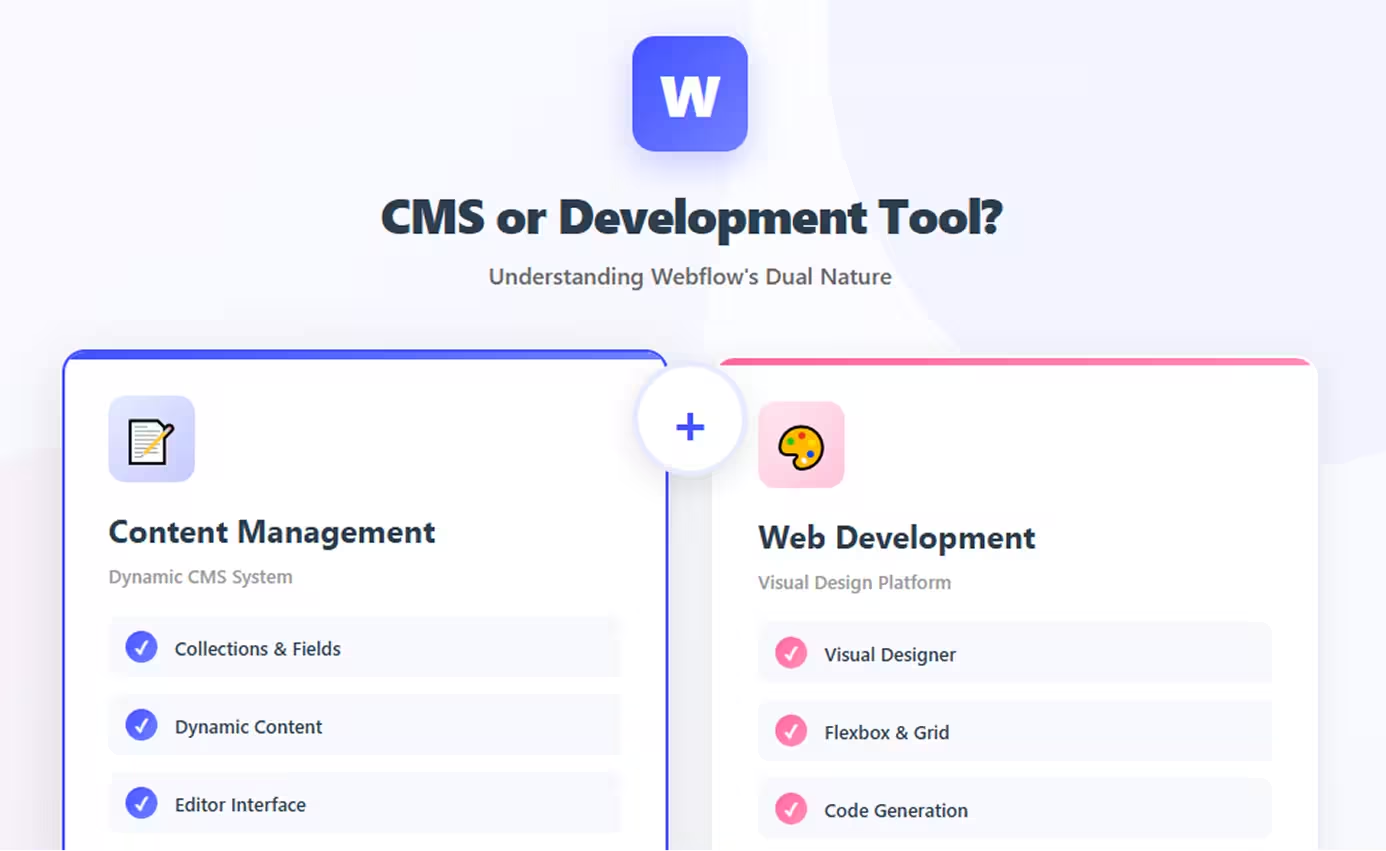
The short answer: Webflow is both. It's a visual web development platform that includes a powerful content management system (CMS), combining design tools and content management in a single unified interface. This dual nature makes Webflow unique—it's neither purely a CMS like WordPress nor just a development tool like Figma.
Understanding what Webflow is matters because it shapes how you use the platform and whether it fits your project needs. If you're evaluating Webflow, knowing that it serves both purposes helps you understand its capabilities and limitations compared to traditional CMSs or standard development tools.
Traditional boundaries blur with Webflow. Unlike WordPress where you separate theme development from content management, or traditional web development where you code separately from CMS integration, Webflow lets you design, develop, and manage content in one visual environment.
This guide explores both sides of Webflow—its CMS capabilities for managing dynamic content and its web development features for building custom designs. You'll understand how these elements work together, when Webflow excels as a CMS, when it shines as a development tool, and how to leverage both capabilities effectively for different project types.
Understanding CMS (Content Management System)
A Content Management System enables non-technical users to create, edit, and publish digital content without writing code.
What Defines a CMS
Core CMS characteristics:
Content creation interface: Visual editors for adding/editing contentDatabase storage: Structured content stored in databasesContent organization: Categories, tags, taxonomies for organizingUser management: Multiple users with different permission levelsPublishing workflow: Draft, review, publish statesVersion control: Track changes and revisions
Traditional CMS Examples
WordPress:
- Powers 43% of websites
- Plugin-based extensibility
- Theme-based design
- Separate admin panel
Drupal:
- Enterprise-level CMS
- Highly customizable
- Complex but powerful
- Developer-focused
Contentful (Headless CMS):
- API-first architecture
- Content separate from presentation
- Developer-centric
- Multi-channel delivery
Core CMS Features
Essential CMS capabilities:
- Content editing: Rich text editors, media management
- Content types: Define custom content structures
- Dynamic content: Display content from database
- Search: Find content across site
- SEO tools: Meta data, URLs, sitemaps
- Multi-user: Team collaboration with roles
A true CMS separates content from presentation, allowing content updates without touching design or code.
Understanding Web Development Tools
Web development tools help designers and developers build websites and applications.
What Web Development Tools Do
Primary purposes:
Design creation: Visual interfaces for layout and stylingCode generation: Convert designs to HTML/CSS/JavaScriptAsset management: Handle images, fonts, and mediaResponsive design: Create layouts for multiple screen sizesPrototyping: Build interactive mockupsDeployment: Publish sites to production
Types of Development Tools
Design tools:
- Figma, Sketch, Adobe XD: Static design and prototyping
- Focus on visual mockups
- Require developer handoff to code
Code editors:
- VS Code, Sublime Text: Write code manually
- Full control, steep learning curve
- Developer-focused
Website builders:
- Wix, Squarespace: Template-based site creation
- Limited customization
- Beginner-friendly
Visual development platforms:
- Webflow, Framer: Design-to-code tools
- Visual interface, production code output
- Designer-friendly with developer power
Visual vs Code-Based Development
Code-based development:
- Write HTML, CSS, JavaScript manually
- Complete control
- Requires programming knowledge
- Time-intensive
Visual development:
- Drag-and-drop interface
- See changes in real-time
- Lower technical barrier
- Generates code automatically
Webflow's approach: Visual interface that generates production-quality code, bridging the gap between design tools and manual coding.
Webflow as a CMS
Webflow includes a fully-featured CMS integrated directly into the visual design environment.
Built-in CMS Capabilities
What Webflow CMS offers:
Collections: Define custom content types (blog posts, products, team members, case studies)Collection fields: Rich text, images, dates, numbers, references, multi-referencesDynamic content: Display collection items on pages automaticallyContent relationships: Link collections together (authors to posts, categories to articles)Filtering and sorting: Display content based on conditionsPagination: Split long lists across multiple pagesContent editor interface: Clean UI for non-technical team members
Collections and Dynamic Content
Creating a blog with Webflow CMS:
- Create Collection: Define "Blog Posts" collection
- Add fields: Title, body, author, date, featured image, category
- Design template: Style how individual posts display
- Create list: Design blog index page showing all posts
- Publish: Content team can add posts via Editor
Dynamic binding:
- Connect design elements to collection fields
- Content automatically populates
- One template serves all collection items
Example use cases:
- Blogs and publications
- Portfolio galleries
- Product catalogs
- Team directories
- Event listings
- Resource libraries
Content Editor Interface
For content teams:
Editor mode: Simplified interface hiding design controlsField-based editing: Fill in structured fields rather than free-formVisual preview: See exactly how content appearsPublishing control: Save drafts, schedule publishingMedia library: Upload and manage images/files
Accessibility: Non-designers can update content without breaking layouts.
CMS Limitations
Compared to traditional CMS:
Item limits: 2,000-10,000 items depending on plan (vs unlimited in WordPress)No plugins: Cannot extend with third-party CMS pluginsBasic permissions: Simple editor/admin roles (vs WordPress's granular roles)Search: Native search is basic (external services like Algolia needed for advanced)No native comments: Requires third-party integrationNo multi-language core: Localization is paid add-on
Best for: Small to medium content sites (under 10,000 items) with straightforward content structures.
Webflow as a Web Development Tool
Webflow excels as a visual development platform for creating custom websites without writing code.
Visual Design Capabilities
Professional design control:
Layout tools:
- Flexbox: Modern flexible layouts
- CSS Grid: Two-dimensional grid systems
- Positioning: Absolute, relative, fixed, sticky
- Responsive breakpoints: Five device sizes
Styling:
- Typography: Full control over fonts, sizing, spacing
- Colors: Gradients, opacity, blend modes
- Effects: Shadows, filters, transforms
- Animations: Interactions and animations without JavaScript
Components:
- Symbols: Reusable design components
- Classes: CSS class system
- Combo classes: Multiple class combinations
- Global styles: Site-wide design tokens
Code Generation
Production-ready output:
Clean HTML: Semantic, accessible markupOrganized CSS: Class-based, no inline stylesVanilla JavaScript: Modern, dependency-free interactionsResponsive: Mobile-first, all breakpoints includedOptimized: Minified CSS, compressed assetsStandards-compliant: Valid HTML5, modern CSS
Export capability: Download complete codebase for self-hosting.
Developer Features
Advanced capabilities:
Custom code: Add HTML/CSS/JavaScript anywhereEmbed components: Integrate third-party widgetsAPI access: Webflow API for programmatic content managementWebhooks: Trigger actions on content changesCSS custom properties: Use CSS variablesAdvanced selectors: Pseudo-classes, attribute selectors
Developer-friendly: Respects web standards, generates code developers recognize.
Production-Ready Output
What you get:
Performance: Fast loading, optimized deliveryHosting: Global CDN, SSL includedSecurity: Automatic updates, DDoS protectionScalability: Handles traffic spikes automaticallySEO: Clean code, fast speeds, proper structure
Professional results: Sites look and perform like they're custom-coded.
How Webflow Combines Both
Webflow's unique value is seamlessly integrating CMS and development in one platform.
Unified Platform Approach
Traditional workflow:
- Design in Figma/Sketch
- Develop in code editor
- Integrate CMS (WordPress, Contentful)
- Deploy to hosting
- Maintain separate systems
Webflow workflow:
- Design + Develop + CMS in one tool
- Deploy automatically
- Manage everything in one place
Time saved: No handoffs, no integrations, no system synchronization.
Visual CMS Integration
Design meets content:
Design CMS templates visually: Style how blog posts, products, or portfolios displayBind content fields: Connect design elements to CMS fields with clicksPreview dynamic content: See real content while designingCreate filters: Build filtered views without codeDesign relationships: Show related posts, linked categories visually
No backend coding: Build complex content-driven sites without touching databases or backend code.
Designer + CMS Workflow
Role separation:
Designers/developers:
- Build site structure in Designer
- Create CMS collections
- Design templates and layouts
- Set up interactions
- Publish site
Content teams:
- Use Editor to add/update content
- Work with pre-designed templates
- Focus on writing, not layout
- Schedule posts
- Manage media
Clean handoff: Once designers build structure, content teams work independently.
Webflow vs Traditional CMS Platforms
Understanding differences helps choose the right tool.
WordPress Comparison
WordPress strengths:
- Unlimited content: No item limits
- Plugin ecosystem: 60,000+ plugins
- Theme marketplace: Thousands of themes
- Community: Massive support community
- Cost: Free software (hosting separate)
Webflow strengths:
- Visual design: No theme constraints
- Clean code: Semantic, optimized output
- Managed hosting: Zero maintenance
- Security: No plugins to update/patch
- Integrated: Design + CMS unified
Key Differences
Development approach:
- WordPress: Code-based theme development or page builders
- Webflow: Visual development with code export
Content management:
- WordPress: Powerful, extensible, unlimited
- Webflow: Integrated, visual, item limits
Hosting:
- WordPress: Self-hosted, DIY maintenance
- Webflow: Managed, included, automatic
Customization:
- WordPress: Unlimited via plugins/code
- Webflow: Visual tools + custom code, no plugins
When to Choose Each
Choose Webflow when:
- Design control is priority
- Team wants visual workflow
- Content needs are moderate (<10K items)
- Managed hosting preferred
- No interest in maintenance
Choose WordPress when:
- Need unlimited content capacity
- Require specific plugins
- Budget extremely limited
- Large developer team prefers code
- Complex custom functionality needed
Both work: Many projects suit either platform—choice depends on team preferences and project specifics.
Conclusion
Webflow is definitively both a CMS and a web development tool—and that's its strength. Unlike platforms that excel at one aspect, Webflow integrates content management and visual development seamlessly, creating a unified environment where designers can build and content teams can manage without separate systems.
As a CMS, Webflow provides structured content management, dynamic content display, and team collaboration—sufficient for most small-to-medium content needs though limited compared to WordPress's unlimited capacity.
As a web development tool, Webflow offers professional design control, clean code generation, and responsive design capabilities that rival hand-coding while remaining accessible to non-developers.
The platform's dual nature makes it ideal for teams wanting design flexibility without coding complexity, businesses needing both custom design and easy content management, and agencies building client sites that must look custom while remaining client-editable.
Choose Webflow when both matter—when you need a beautifully designed site that's also easy to update. If you only need one aspect (pure CMS or pure design tool), specialized alternatives might serve better. But for projects requiring both strong visual design and content management, Webflow's integrated approach eliminates the complexity of connecting separate systems.
The question isn't whether Webflow is a CMS or development tool—it's whether its combination of both capabilities matches your project needs.
FAQs
Q: Can I use Webflow CMS without the visual design tools?
A: Not really. Webflow's CMS is integrated into the Designer—you must design templates visually even if using CMS. There's no "headless" option like Contentful. However, content teams can use Editor mode without touching design, focusing only on content entry.
Q: Is Webflow CMS as powerful as WordPress?
A: No, WordPress CMS is more powerful with unlimited content, extensive plugins, and deeper customization. Webflow CMS has item limits (2,000-10,000), no plugins, and simpler features. However, Webflow's visual integration and ease of use often outweigh raw power for smaller sites.
Q: Can developers code directly in Webflow?
A: Developers can add custom HTML, CSS, and JavaScript via embed elements and custom code sections. However, Webflow is primarily visual—you design interfaces visually rather than writing HTML/CSS directly. It generates code rather than serving as a code editor.
Q: Does Webflow replace traditional web development?
A: For many projects, yes. Webflow can build professional sites without coding. However, complex applications, custom backends, advanced integrations, or very specific functionality still require traditional development. Webflow excels at content-driven marketing sites, not web applications.
Q: Can I start with Webflow as a design tool and add CMS later?
A: Yes, CMS is optional. You can build static sites using only design tools, then add CMS collections later when content management becomes necessary. CMS is available on CMS and higher site plans ($23+/month).