Introduction
Every web designer eventually faces a critical decision: should you design in Figma and hand off to developers, or build directly in Webflow and skip the handoff entirely? This question represents more than just a tool choice—it's a fundamental decision about your design workflow and how you bring digital products to life.
Figma has become the industry standard for UI/UX design and prototyping, beloved for its collaborative features and design flexibility. Webflow, on the other hand, positions itself as a visual development platform that lets designers create production-ready websites without writing code. Both tools are exceptional at what they do, but they serve fundamentally different purposes.
The confusion arises because modern design tools increasingly blur the lines between design and development. Figma has added more interactive capabilities, while Webflow has enhanced its design tools. So which one should you choose? The answer depends on your goals, skills, and project requirements. This comprehensive comparison will help you understand exactly when to use each tool—and why you might need both.
Figma: The Collaborative Design Powerhouse
Figma has revolutionized how designers work together, becoming the go-to tool for interface design, prototyping, and design systems. It's a browser-based platform that enables real-time collaboration, making it indispensable for modern design teams.
What Figma Does Best
Design Flexibility: Figma offers unparalleled freedom for visual exploration and iteration. You can design anything from mobile apps to complex dashboards without constraints. The vector-based interface, unlimited artboards, and powerful component system make it ideal for creating comprehensive design libraries.
Collaboration Features: Multiple designers can work simultaneously on the same file, seeing each other's cursors in real-time. Commenting, version history, and branching make team collaboration seamless. Stakeholders can view and comment on designs without needing a paid account.
Prototyping Capabilities: While not as robust as dedicated prototyping tools, Figma offers solid interactive prototyping with transitions, overlays, and smart animate features. It's perfect for user testing and stakeholder presentations.
Ideal Use Cases
- App design (iOS, Android, desktop applications)
- Design systems and component libraries
- User flow mapping and wireframing
- Client presentations and stakeholder reviews
- Projects requiring developer handoff with specs and assets
Limitations
Figma is purely a design tool—it doesn't generate production code or host live websites. Designs must be translated into HTML/CSS/JavaScript by developers, creating a potential gap between design and final implementation.
Webflow: The Designer's Website Builder
Webflow is a visual web development platform that generates production-ready HTML, CSS, and JavaScript. It's built for designers who want complete control over their websites without writing code.
What Webflow Excels At
Production-Ready Output: Unlike Figma, Webflow creates actual, functional websites that go live immediately. The code it generates is clean, semantic, and optimized for performance. What you design is literally what users see in their browsers.
Design Control: Webflow offers pixel-perfect precision with full control over responsive behavior, animations, and interactions. It combines the visual design freedom designers love with the technical capabilities developers need.
CMS and Dynamic Content: Webflow includes a powerful content management system perfect for blogs, portfolios, and content-heavy sites. Editors can update content without touching design or code.
Interactions and Animations: Built-in animation tools rival dedicated animation software, enabling complex scroll-triggered effects, parallax, and custom interactions without JavaScript.
Perfect Scenarios
- Marketing websites and landing pages
- Portfolio sites and agency websites
- Blog platforms with custom designs
- E-commerce stores (small to medium)
- Projects where you need immediate deployment
Constraints
Webflow is specifically built for websites—it can't design mobile apps, desktop software, or other digital products. It also has a steeper learning curve than traditional website builders and requires understanding web layout concepts.
Head-to-Head Comparison
Let's examine how Figma and Webflow stack up across critical dimensions:
Design Capabilities
Figma: Offers more flexible design exploration with no technical constraints. You can design impossible layouts, experiment freely, and iterate rapidly without worrying about implementation feasibility.
Webflow: Constrains you to web-viable designs. While this might seem limiting, it ensures everything you create can actually be built. The visual canvas maps directly to CSS properties, teaching you web design principles as you work.
Winner: Figma for pure design freedom; Webflow for web-specific design accuracy.
Prototyping and Interactions
Figma: Handles basic prototyping with clicks, hovers, and transitions. Great for user testing flows and demonstrating concepts. Limited compared to specialized prototyping tools.
Webflow: Offers production-level interactions including scroll triggers, timed animations, and complex state changes. If it works in Webflow, it works on the live site.
Winner: Webflow for functional interactions; Figma for quick concept validation.
Collaboration Features
Figma: Built for team collaboration from the ground up. Real-time editing, commenting, design system libraries, and stakeholder review modes make it unbeatable for collaborative design work.
Webflow: Supports collaboration through Editor mode (for content updates) and Team plans (for multiple designers), but lacks real-time co-editing. Primarily designed for individual designers or sequential workflows.
Winner: Figma by a significant margin.
Learning Curve
Figma: Relatively easy to learn, especially for designers familiar with other design tools. The interface is intuitive, and you can start creating immediately without understanding technical concepts.
Webflow: Requires understanding HTML/CSS concepts like box model, flexbox, and grid. The learning curve is steeper, but you gain valuable web development knowledge in the process.
Winner: Figma for immediate productivity; Webflow for long-term capability building.
Export and Handoff
Figma: Excellent developer handoff with automatic specs, asset export, and code snippets. Developers can inspect designs and grab measurements, colors, and styles. However, implementation is still manual.
Webflow: No handoff needed—the design is the implementation. Export clean HTML/CSS or publish directly to Webflow hosting. Some projects require custom code for advanced functionality.
Winner: Webflow eliminates handoff entirely; Figma provides better handoff when needed.
Pricing Comparison
Figma:
- Free for individuals (3 files, unlimited personal files)
- Professional: $12/editor/month
- Organization: $45/editor/month
Webflow:
- Free for 2 projects (staging only)
- Basic hosting: $14/month per site
- CMS hosting: $23/month per site
- Workspace plans: $35/month per seat
Winner: Figma is more affordable for design work; Webflow includes hosting but costs more overall.
When to Use Figma
Choose Figma when you need to:
- Design mobile apps or other non-web products
- Create comprehensive design systems for large organizations
- Enable real-time collaboration across distributed design teams
- Produce designs that will be handed off to developers
- Rapidly explore and iterate on concepts without technical constraints
- Design features that require custom development beyond standard web capabilities
- Work within established enterprise design workflows
Figma shines in scenarios where design is separate from implementation, when you're designing for platforms beyond the web, or when collaborative design work is essential.
When to Use Webflow
Choose Webflow when you need to:
- Build and launch production websites immediately
- Create marketing sites and landing pages without developer involvement
- Design portfolio or agency websites with full creative control
- Implement complex animations and interactions that work in-browser
- Build sites with dynamic content using the CMS
- Maintain pixel-perfect control over responsive web design
- Learn web development concepts while designing visually
- Own the entire process from design to deployment
Webflow is ideal when the end product is a website, when speed-to-market matters, and when you want to eliminate the design-to-development gap.
Can You Use Both?
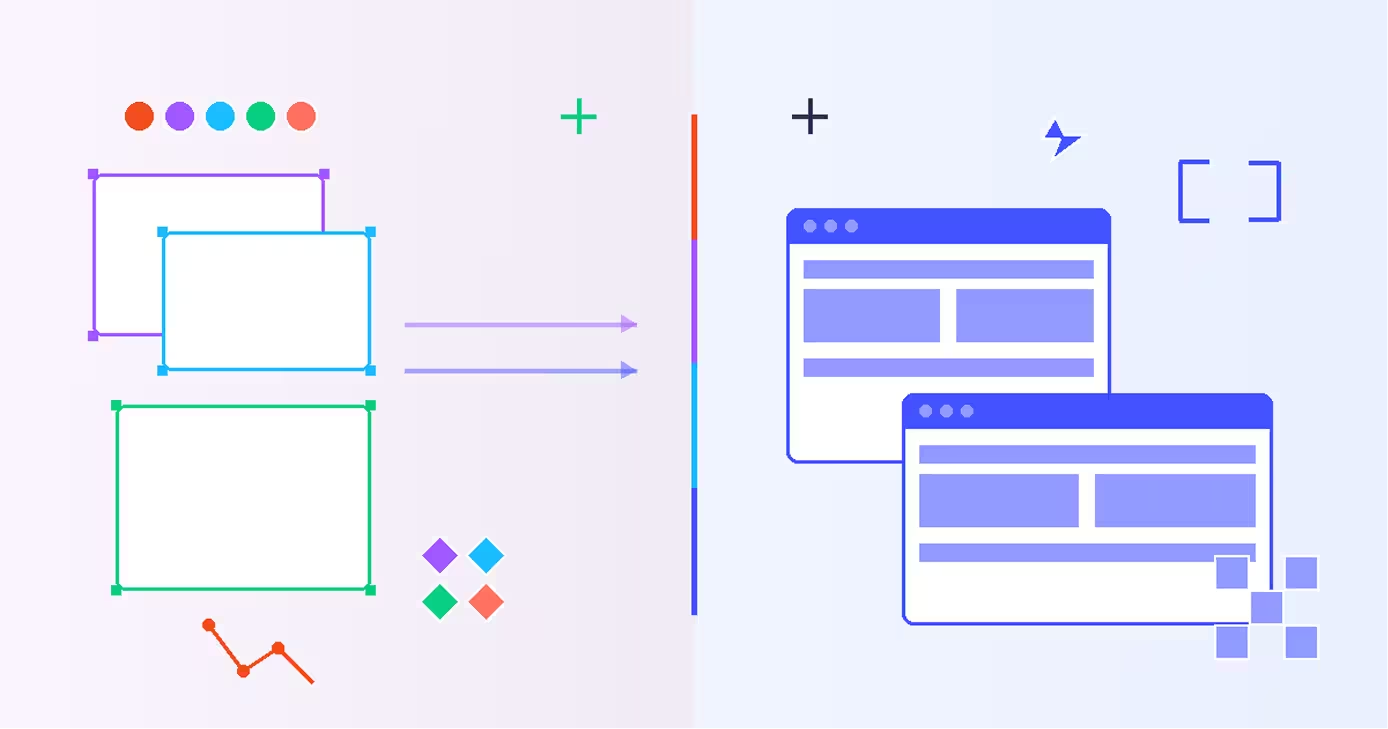
Absolutely—and many professionals do. The Figma-to-Webflow workflow combines the strengths of both tools:
Design in Figma: Use Figma for initial concept exploration, stakeholder presentations, design system development, and collaborative design work. Its flexibility lets you explore ideas freely.
Build in Webflow: Once designs are approved, recreate the final version in Webflow for production. This ensures pixel-perfect implementation while leveraging Webflow's hosting and CMS capabilities.
Some teams use Figma for app design and Webflow for marketing websites, maintaining both tools in their workflow for different project types. The cost of both subscriptions is often justified by the productivity gains and quality improvements.
Conclusion
Figma and Webflow aren't competitors—they're complementary tools serving different needs. Figma excels as a collaborative design platform for creating interfaces across any platform, while Webflow specializes in building production-ready websites with designer-friendly tools.
Choose Figma if you're designing apps, working in large teams, or need maximum design flexibility. Choose Webflow if you're building websites and want to control the entire process from concept to launch. For many designers, the answer isn't "either/or" but "both"—using each tool where it provides the most value.
The future of web design likely involves both design tools and visual development platforms. Understanding when to use each makes you a more versatile, valuable designer capable of delivering both beautiful concepts and functional websites.
FAQs
Q: Can I export Figma designs directly to Webflow?
A: Not directly through native features. However, several plugins and third-party tools can assist with converting Figma designs to Webflow, though manual recreation typically produces better results. Most designers use Figma as a reference while building in Webflow rather than attempting automatic conversion.
Q: Is Webflow harder to learn than Figma?
A: Yes, Webflow has a steeper learning curve because it requires understanding web layout concepts like flexbox, grid, and the box model. Figma is more intuitive for designers without technical knowledge. However, Webflow's learning curve pays dividends by teaching you actual web development skills.
Q: Which tool is better for freelance designers?
A: It depends on your services. If you only provide design deliverables, Figma is sufficient and more affordable. If you offer full website design and development, Webflow lets you deliver complete solutions and command higher rates. Many successful freelancers use both for different client needs.
Q: Can Webflow replace developers entirely?
A: For standard marketing websites, portfolios, and blogs—yes, Webflow can eliminate the need for developers. For complex web applications, custom functionality, or integration-heavy projects, you'll still need developer expertise. Webflow excels at content websites but isn't a replacement for full-stack development.
Q: Do professional design teams use Figma, Webflow, or both?
A: Most professional teams use Figma as their primary design tool for its collaboration features and flexibility. Some teams add Webflow specifically for marketing sites and landing pages, while using traditional development for products. The trend is toward hybrid workflows that leverage the strengths of both platforms.